

A full lamination touch display should be specified as a complete installed assembly, including the image path and touch path. Joining optical layers does not supply missing video electronics, drivers or enclosure support. This guide follows integration from host requirements through the bonded stack and release tests. It helps an OEM approve the actual display configuration rather than an attractive loose sample, while keeping optical benefits and supplier responsibilities tied to evidence.
Contents: 1 · 2 · 3 · 4 · 5 · 6 · 7 · 8 · 9 · 10
1. Which delivered assembly does the product name cover?
Start with LCD, sensor, cover, joining and electronics as separate functions. For example, a sample may use an HDMI bridge excluded from its production quote. Meanwhile, final mounting can remain customer work. A full lamination label does not establish every supplied board, cable or configuration file.
A demonstration can conceal missing production electronics. Comparing only front appearance leaves integration work and commercial responsibility undefined.
Buyer checklist for full lamination touch display
Define the integrated delivery. Request an included-excluded matrix and a production-intent component list. Identify host-owned functions, then reconcile the physical sample with the delivered assembly before approving development or price.
- LCD and sensor
- Joining boundary
- Production boards
- Host-owned work
| Decision point | Requirement to retain | Related check |
|---|---|---|
| Failure boundary | A demonstration can conceal missing production electronics. Comparing only front appearance leaves integration work and commercial responsibility undefined. | Production boards |
| Approval action | Request an included-excluded matrix and a production-intent component list. Identify host-owned functions, then reconcile the physical sample with the delivered assembly before approving development or price. | Host-owned work |
Compare the application boundary before assuming a single demonstration covers every installation. application solution overview.
2. What video path must the host support?
The chosen LCD needs a compatible interface, timing, power and initialization. Also, a conversion board must support that exact panel. Similar connectors do not establish electrical interchangeability. Review the production host rather than assuming a supplier evaluation computer proves every embedded platform can drive the display.
Unsupported timing or missing initialization can leave a good optical stack blank. A bridge may need panel-specific firmware.

Which evidence should accompany the sample?
Prove the image path. Compare host and LCD documentation with the electronics owner. Confirm conversion and setup responsibilities, then verify cold boot, image geometry and recovery using the intended production video path.
- Host output
- LCD timing
- Bridge scope
- Initialization owner
| Decision point | Requirement to retain | Related check |
|---|---|---|
| Failure boundary | Unsupported timing or missing initialization can leave a good optical stack blank. A bridge may need panel-specific firmware. | Bridge scope |
| Approval action | Compare host and LCD documentation with the electronics owner. Confirm conversion and setup responsibilities, then verify cold boot, image geometry and recovery using the intended production video path. | Initialization owner |
Review public supplier information alongside evidence for the actual part being quoted. factory background.
3. What touch path remains separate?
The touch controller reports input through its supported host interface. Video operation does not prove those reports or their mapping. Meanwhile, the joined cover and powered display can affect installed sensing. Test required fingers, gloves or pens rather than a generic center tap on another host.
A clear picture can coexist with absent or misdirected input. Evaluation settings may differ from the supplied production configuration.
What should the test owner record?
Prove input independently. Obtain controller, protocol and driver references. Verify raw reports and application selections on the actual host, then retain orientation and input settings alongside the bonded stack identity.
- Controller identity
- Touch protocol
- Host driver
- Coordinate mapping
| Decision point | Requirement to retain | Related check |
|---|---|---|
| Failure boundary | A clear picture can coexist with absent or misdirected input. Evaluation settings may differ from the supplied production configuration. | Host driver |
| Approval action | Obtain controller, protocol and driver references. Verify raw reports and application selections on the actual host, then retain orientation and input settings alongside the bonded stack identity. | Coordinate mapping |
Send the controlled drawing and unresolved test questions with the sample configuration attached. technical inquiry route.
Primary reference: 3M optically clear adhesive application context. Verify its applicable scope against the proposed build.
4. Which joining materials influence the finished display?
Record adhesive or optical coupling material and each interface it joins. Also, thickness and edge treatment influence the cross-section. OCA film and liquid-process alternatives require different process reviews. A material-family name cannot establish suitability for every polarizer, cover or sensor. Keep applicable supplier documentation with the proposed construction.
An unapproved joining substitution can affect appearance, stress or tuning. Clear material alone cannot prove a qualified process.
Which installed detail needs approval?
Record the joining material. Request material references and compatible-substrate evidence for the actual stack. Review process requirements with qualified owners, then inspect joined samples after the intended production method rather than a temporary fixture.
- Material reference
- Bonded surfaces
- Layer thickness
- Process ownership
| Decision point | Requirement to retain | Related check |
|---|---|---|
| Failure boundary | An unapproved joining substitution can affect appearance, stress or tuning. Clear material alone cannot prove a qualified process. | Layer thickness |
| Approval action | Request material references and compatible-substrate evidence for the actual stack. Review process requirements with qualified owners, then inspect joined samples after the intended production method rather than a temporary fixture. | Process ownership |
Module quotes need a defined LCD, sensor and controller boundary. touch display module scope.
5. How should optics be accepted on a powered sample?
Use required content, ambient light and working angles with the proposed LCD active. For example, dark fields can reveal reflections or uneven appearance hidden by a bright image. Meanwhile, comparable brightness settings keep the trial fair. Inspect the whole viewing area after joining, including specified defect zones.
A favorable photograph may hide glare or particles. Different LCD settings can be mistaken for a bonding improvement.

How can engineering close this check?
Inspect useful screen content. Agree on visual conditions and representative patterns before sample acceptance. Record remaining reflections, alignment and defects, then preserve display and front-material settings with the approved optical result.
- Test pattern
- Ambient light
- Working angle
- Defect zone
| Decision point | Requirement to retain | Related check |
|---|---|---|
| Failure boundary | A favorable photograph may hide glare or particles. Different LCD settings can be mistaken for a bonding improvement. | Working angle |
| Approval action | Agree on visual conditions and representative patterns before sample acceptance. Record remaining reflections, alignment and defects, then preserve display and front-material settings with the approved optical result. | Defect zone |
Review the capacitive product context if glass-front or gesture operation enters the specification. capacitive touchscreen options.
6. What mounting conditions belong in validation?
Fit the complete rear and front assembly, including boards and tails. Gasket compression, supports and fasteners can change the result. Also, a metal edge can influence capacitive conditions. Inspect after fastening because a loose stack may not reveal installed pressure or rear interference. Keep service access visible during mechanical review.
A compact board can collide with a bracket. Excessive support loads can distort the LCD or affect edge response.
What failure would reject this configuration?
Validate the fitted rear envelope. Approve enclosure datums, clearances and fastening with the mechanical owner. Test image and input after assembly, then correct interference or preload before changing software to hide a fitted fault.
- Support points
- Fastener method
- Board clearance
- Tail route
| Decision point | Requirement to retain | Related check |
|---|---|---|
| Failure boundary | A compact board can collide with a bracket. Excessive support loads can distort the LCD or affect edge response. | Board clearance |
| Approval action | Approve enclosure datums, clearances and fastening with the mechanical owner. Test image and input after assembly, then correct interference or preload before changing software to hide a fitted fault. | Tail route |
Use the pressure-input product context when a suitable blunt stylus or glove is required. resistive touchscreen options.
7. Which operating states should be combined?
Display activity, backlight changes, nearby electrical loads and input tasks can interact. Meanwhile, sleep and restart require separate checks from steady operation. Choose states from intended use rather than arbitrary extremes. Record raw touch events alongside visible behavior so one symptom does not automatically become a sensor fault.
A static quiet demo can miss combined-state failures. Manual resets can make an unstable startup look acceptable.
What should quality retain?
Test changing states together. Define required mode transitions and relevant equipment states. Test them on the fitted module and actual supply, then log misses, unwanted reports, artifacts and recovery before releasing the combined configuration.
- Active video
- Backlight state
- Sleep recovery
- Relevant electrical load
| Decision point | Requirement to retain | Related check |
|---|---|---|
| Failure boundary | A static quiet demo can miss combined-state failures. Manual resets can make an unstable startup look acceptable. | Sleep recovery |
| Approval action | Define required mode transitions and relevant equipment states. Test them on the fitted module and actual supply, then log misses, unwanted reports, artifacts and recovery before releasing the combined configuration. | Relevant electrical load |
A bonding proposal changes the assembled optical and mechanical interface; review its construction context. fully laminated touchscreen construction.
8. How should replacement modules be controlled?
A spare needs matching physical, video, touch and configuration interfaces. Also, an alternate LCD can change both host setup and sensing conditions. Separate proposed alternatives from qualified replacements. A module that looks identical may require different initialization or have another front stack. Service approval should follow the actual replacement boundary.
An unqualified spare can fit yet fail startup or input. Rework can change a previously accepted optical interface.
Which trial result changes the decision?
Release the spare configuration. Release spare references and an approved replacement procedure. Demonstrate host recovery and post-repair inspection, then require affected-interface tests for alternatives before they enter service stock.
- Physical fit
- Video setup
- Touch settings
- Post-repair checks
| Decision point | Requirement to retain | Related check |
|---|---|---|
| Failure boundary | An unqualified spare can fit yet fail startup or input. Rework can change a previously accepted optical interface. | Touch settings |
| Approval action | Release spare references and an approved replacement procedure. Demonstrate host recovery and post-repair inspection, then require affected-interface tests for alternatives before they enter service stock. | Post-repair checks |
For a machine installation, relate these checks to mounted-console and operator conditions. industrial control touchscreen context.
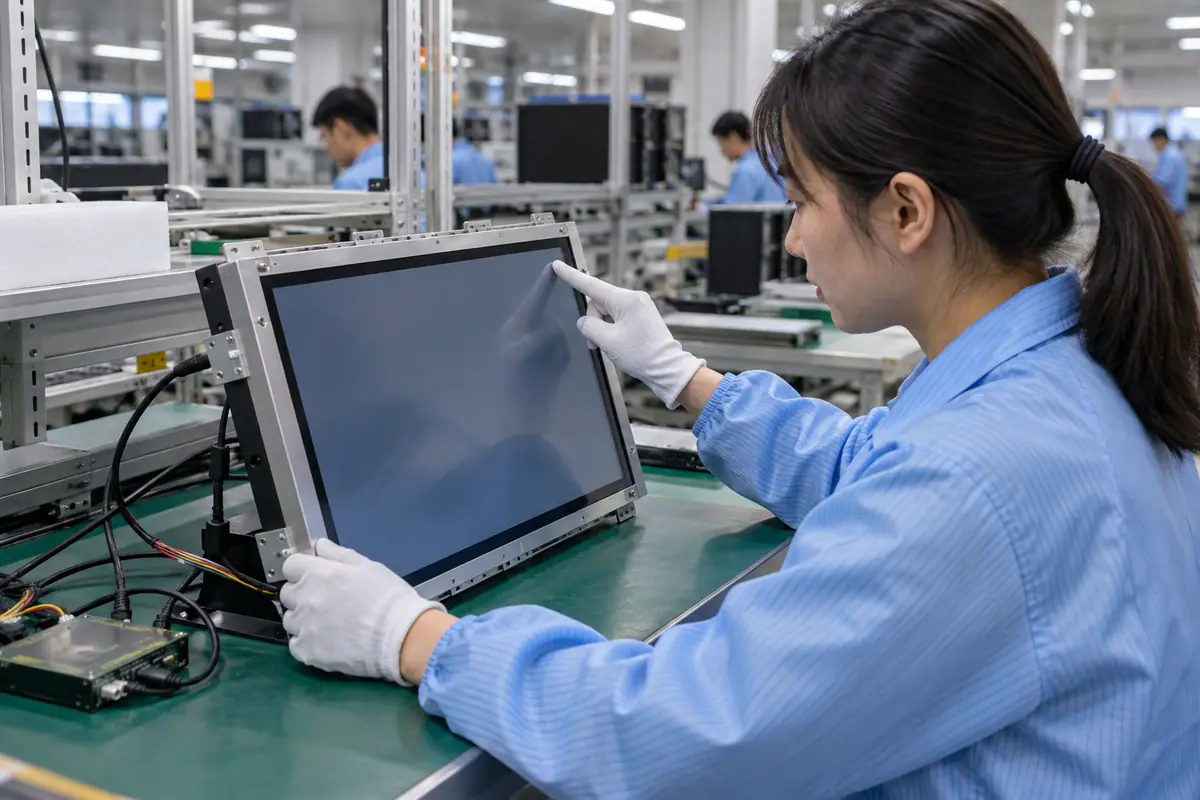
For example, a supplier may show a bonded display on its own bridge board while an OEM plans direct embedded drive. Verify the intended video path before accepting the sample as integrated. Then test touch with the final LCD powered, fit the rear boards and repeat startup and sleep trials. This hypothetical sequence separates optical assembly success from complete host-connected module acceptance.
9. How should integration cost be compared?
Include supplied electronics, host work, joining, inspection, packaging and service duties. Meanwhile, keep development and tooling separate from recurring prices. A module that includes controller tuning can reasonably differ from a passive stack quote. Use dated offers for your actual volume rather than a universal full-lamination price assumption.
An incomplete bid can shift software and test work into an unseen budget. Different repair boundaries change lifecycle assumptions.
How can purchasing compare the evidence?
Price the integrated functions. Send one delivery and acceptance matrix to candidate suppliers. Compare written exclusions and current quantities, then review development and service scope with both engineering and purchasing before selecting an offer.
- Delivered electronics
- Host engineering
- Acceptance work
- Service scope
| Decision point | Requirement to retain | Related check |
|---|---|---|
| Failure boundary | An incomplete bid can shift software and test work into an unseen budget. Different repair boundaries change lifecycle assumptions. | Acceptance work |
| Approval action | Send one delivery and acceptance matrix to candidate suppliers. Compare written exclusions and current quantities, then review development and service scope with both engineering and purchasing before selecting an offer. | Service scope |
Healthcare equipment introduces device-specific cleaning and qualification questions; keep those outside generic component claims. medical touchscreen context.
10. What should the integrated display release preserve?
Freeze LCD, touch stack, boards, cables, software and mounting references together. Keep accepted operating modes and untested conditions explicit. By contrast, a full lamination display name cannot reproduce the host behavior that passed. Supplier and OEM change responsibilities should cover their respective parts of the complete interface.
A host update can invalidate mapping or startup. Silent component changes may defeat an accepted integrated trial.
What should the team release next?
Release the complete host-connected build. Reconcile samples, drawings and commercial scope before release. Require review of changed video, touch, joining or mounting interfaces, then order against the tested configuration and shared acceptance methods.
- Hardware references
- Software identity
- Installed conditions
- Change ownership
Frequently asked questions about full lamination touch display
Q1: Does lamination include video conversion automatically? No. Identify every production board and excluded host function.
Q2: Should image and touch tests be separate? Establish each path first, then validate their combined operation on the intended host.
Q3: What should a fitted trial include? The actual enclosure, cables, boards, supply, software and required operator inputs.
Q4: Can a spare use another LCD? Only after relevant physical, video, optical and touch differences are qualified.
Q5: What defines repeatable integration? Controlled hardware, software and mounting references linked to applicable test evidence and change rules.