
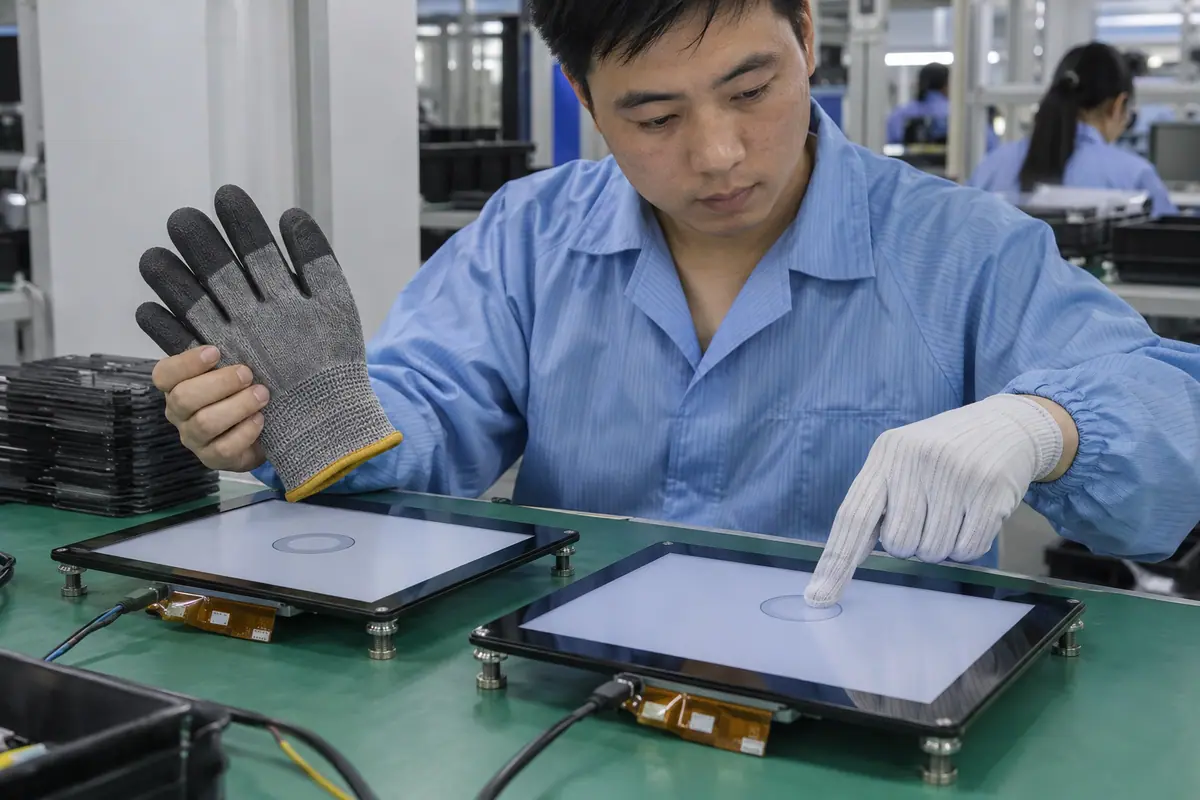
Glove compatibility belongs to a complete touch stack and a named glove, not a technology slogan. Resistive input needs adequate mechanical pressure. Projected capacitive input needs a detectable electrical signal through its cover and glove combination. For capacitive vs resistive touchscreen with gloves, test actual materials, fit and tasks before purchasing. A thin clean glove and a lined industrial glove create different conditions. This guide gives engineers a glove trial that captures misses, unwanted events and operator effort without claiming universal compatibility.
Contents: 1 · 2 · 3 · 4 · 5 · 6 · 7 · 8 · 9 · 10
1. What does the glove change physically?
A glove changes contact shape, force transfer and electrical coupling. Its thickness alone does not describe those effects. For example, loose fingertip material can reduce repeatable pressure on a resistive panel or weaken a capacitive signal. Seams can move the contact patch away from a small target. Moisture and material layers add another variable. Compare glove construction with the actual task. A material name such as nitrile or leather cannot substitute for testing an approved glove model.
However, results from a different glove size or liner may not transfer. A glove demonstration without build details leaves both detection and ergonomics unclear.
Buyer checklist for capacitive vs resistive touchscreen with gloves
Describe the glove beyond its thickness. Record manufacturer, model, size, lining and expected condition. Keep representative examples with the test kit and define whether operators may remove gloves for any task.
- Glove model
- Liner and seam
- Fingertip fit
- Expected condition
| Decision point | Requirement to retain | Related check |
|---|---|---|
| Failure boundary | However, results from a different glove size or liner may not transfer. A glove demonstration without build details leaves both detection and ergonomics unclear. | Fingertip fit |
| Approval action | Record manufacturer, model, size, lining and expected condition. Keep representative examples with the test kit and define whether operators may remove gloves for any task. | Expected condition |
For a machine installation, relate these checks to mounted-console and operator conditions. industrial control touchscreen context.
2. How does pressure input respond through gloves?
A resistive front detects contact after mechanical deflection. A glove can supply that force even when its material is electrically insulating. Meanwhile, activation depends on panel construction, support and the contact object. A stiff glove may press broadly and obscure small controls. Check repeated taps and dragging rather than only one successful press. Define acceptable force with the operator team. More force is not automatically a better acceptance result because it changes fatigue and wear.
A tight bezel can alter required pressure near edges. A glove working on a loose panel may fail after installation or encourage excessive force.
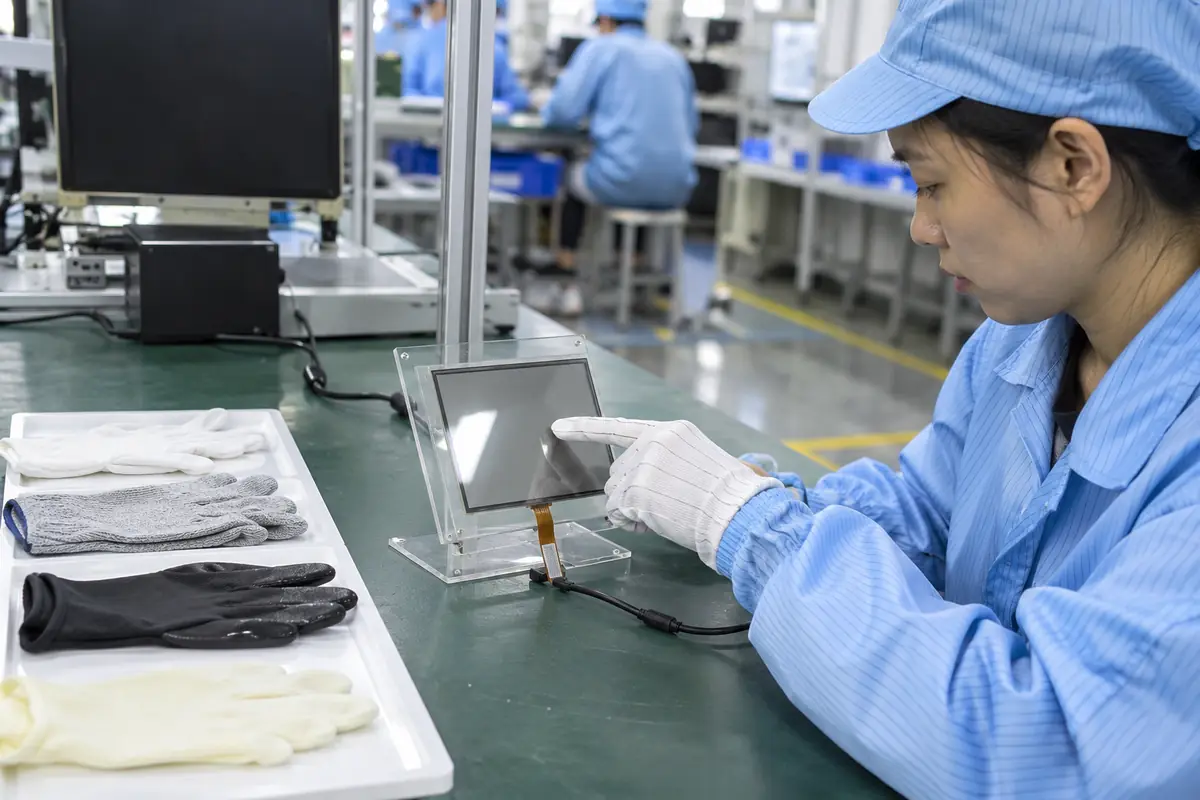
Which evidence should accompany the sample?
Pressure must remain comfortable. Measure response in the mounted assembly with representative operators. Record missed input and comfortable force, then inspect the membrane after repeated use with the approved glove.
- Mounted activation
- Force consistency
- Edge behavior
- Membrane condition
| Decision point | Requirement to retain | Related check |
|---|---|---|
| Failure boundary | A tight bezel can alter required pressure near edges. A glove working on a loose panel may fail after installation or encourage excessive force. | Edge behavior |
| Approval action | Measure response in the mounted assembly with representative operators. Record missed input and comfortable force, then inspect the membrane after repeated use with the approved glove. | Membrane condition |
Healthcare equipment introduces device-specific cleaning and qualification questions; keep those outside generic component claims. medical touchscreen context.
3. What enables a PCAP glove configuration?
PCAP detection depends on sensor geometry, cover materials, controller algorithms and configuration. Some controllers provide supported glove modes, but a mode name does not verify your assembly. Also, thicker or layered gloves can reduce useful signal margin. Check detection together with release and idle stability. Ask for the proposed cover and sensor revision during tuning. A thin-cover demonstration might not represent a thicker production lens. Treat configuration changes as engineering changes.
Increasing sensitivity can expose unwanted detection from moisture or noise. A passing tap test alone does not establish a balanced glove configuration.
What should the test owner record?
Tune the full signal path. Ask for controller-specific guidance and tune production-intent samples. Test bare fingers, approved gloves and idle conditions together before freezing firmware or sensitivity settings.
- Sensor geometry
- Cover construction
- Controller mode
- Idle stability
| Decision point | Requirement to retain | Related check |
|---|---|---|
| Failure boundary | Increasing sensitivity can expose unwanted detection from moisture or noise. A passing tap test alone does not establish a balanced glove configuration. | Controller mode |
| Approval action | Ask for controller-specific guidance and tune production-intent samples. Test bare fingers, approved gloves and idle conditions together before freezing firmware or sensitivity settings. | Idle stability |
Compare the application boundary before assuming a single demonstration covers every installation. application solution overview.
Primary reference: Microchip touchscreen controller documentation. Verify its applicable scope against the proposed build.
4. Which glove samples belong in the trial?
Build a small but representative set based on expected use. Include different approved sizes and realistic fingertip fit. For example, a winter liner or doubled clean glove should appear only when the operating procedure permits it. Separate dry, worn and damp conditions where relevant. Avoid substituting a laboratory glove because it makes the trial easier. Keep samples identifiable after cleaning or replacement. Operators should use their normal grip and posture during entry tasks.
A single perfectly fitted glove can hide variation across staff. Testing unapproved gloves can also create requirements the product never needed to support.
Which installed detail needs approval?
Use a controlled glove set. Agree on the required glove set with operations and safety staff. Photograph construction details without personal information, then keep each trial result tied to its sample identity.
- Approved sizes
- Normal fit
- Permitted layering
- Condition labels
| Decision point | Requirement to retain | Related check |
|---|---|---|
| Failure boundary | A single perfectly fitted glove can hide variation across staff. Testing unapproved gloves can also create requirements the product never needed to support. | Permitted layering |
| Approval action | Agree on the required glove set with operations and safety staff. Photograph construction details without personal information, then keep each trial result tied to its sample identity. | Condition labels |
Review public supplier information alongside evidence for the actual part being quoted. factory background.
5. How should target size and gestures be evaluated?
Gloves change both sensing and the usable contact area. Large buttons may work while small keyboard cells fail. Therefore, include taps, holds, repeated entries and any required drag. Multi-finger gestures need an explicit requirement rather than a casual demonstration. Observe retries and unintended neighboring selections. If a task requires precision beyond a glove, a suitable stylus or interface redesign may help. Keep those alternatives separate from claims that the sensor itself has poor accuracy.
An enlarged target can conceal coordinate error. Conversely, an unnecessarily small interface can make a qualified sensor look unusable for the operating task.
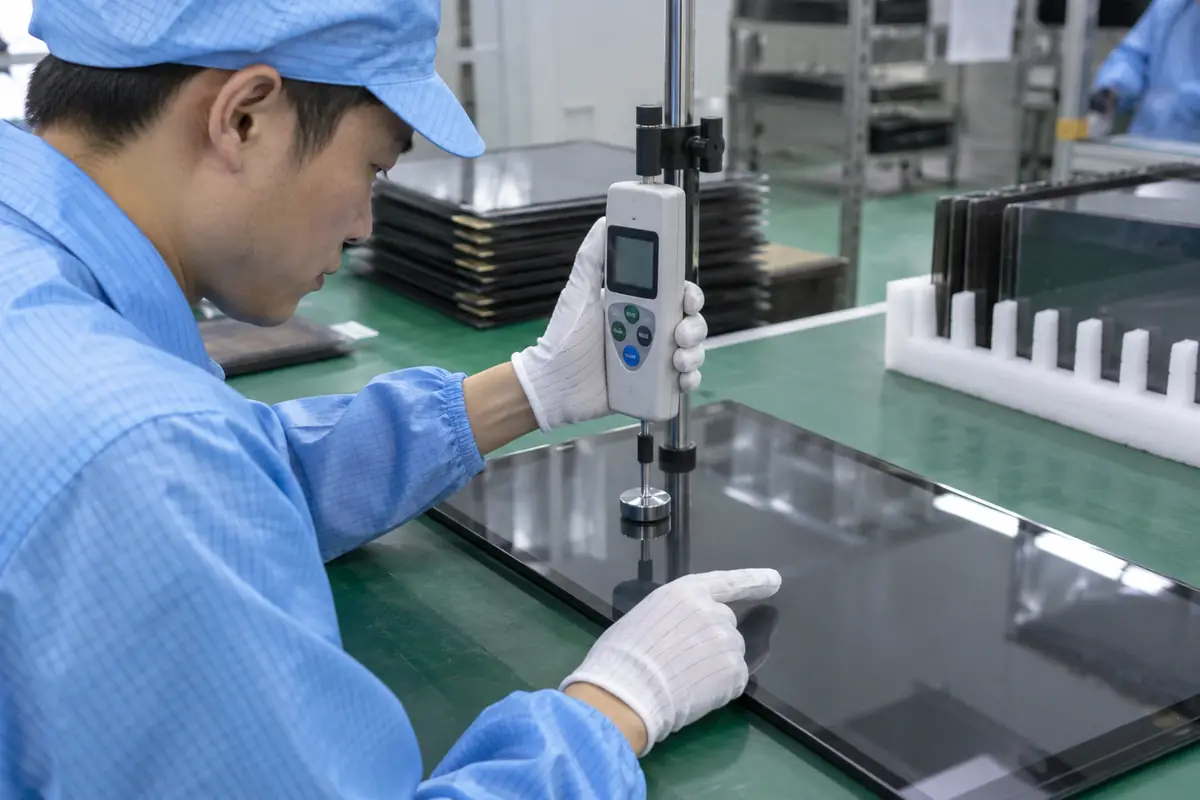
How can engineering close this check?
Test the actual button layout. Use production interface targets and define allowable retry behavior. Compare glove tasks on both architectures, then document any required user-interface or stylus change before release.
- Target dimensions
- Neighboring controls
- Required drag
- Gesture count
| Decision point | Requirement to retain | Related check |
|---|---|---|
| Failure boundary | An enlarged target can conceal coordinate error. Conversely, an unnecessarily small interface can make a qualified sensor look unusable for the operating task. | Required drag |
| Approval action | Use production interface targets and define allowable retry behavior. Compare glove tasks on both architectures, then document any required user-interface or stylus change before release. | Gesture count |
Send the controlled drawing and unresolved test questions with the sample configuration attached. technical inquiry route.
6. What happens with moisture on the glove or screen?
A damp glove and a wet front surface are distinct conditions. Conductive liquid can affect PCAP detection while residues and mechanical loading can affect a pressure panel. However, a sensing result does not establish enclosure water protection. Test defined droplets or films using a protected fixture and an approved procedure. Include touch release and recovery after wiping. Decide whether operation continues during cleaning. Avoid broad wet-glove claims without exposure details.
A dry-glove approval does not cover wet input. A screen may reject water safely but stop accepting commands until the surface is cleaned.
What failure would reject this configuration?
Separate two kinds of wetness. Specify glove moisture and front-surface states separately. Log misses and unwanted reports for each state, then set a safe operational response for cleaning or contamination.
- Glove moisture
- Surface droplets
- Release behavior
- Wipe recovery
| Decision point | Requirement to retain | Related check |
|---|---|---|
| Failure boundary | A dry-glove approval does not cover wet input. A screen may reject water safely but stop accepting commands until the surface is cleaned. | Release behavior |
| Approval action | Specify glove moisture and front-surface states separately. Log misses and unwanted reports for each state, then set a safe operational response for cleaning or contamination. | Wipe recovery |
Module quotes need a defined LCD, sensor and controller boundary. touch display module scope.
7. How does the final bezel affect glove access?
A deep bezel can keep a gloved fingertip away from an edge target. That access issue differs from electrical or pressure sensitivity. Meanwhile, gasket compression can preload film or change capacitive edge conditions. Check approach angle, wrist position and corners in the installed console. Cable exits should not force a different panel orientation. A flat benchtop trial omits those constraints. Give mechanical engineers failed locations rather than only a vague glove failure label.
Operators may compensate with awkward posture or force. Such compensation can pass a quick demonstration while creating repeated-use discomfort or inconsistent input.
What should quality retain?
Check reach before changing sensitivity. Fit production-intent samples in the real opening. Review inaccessible targets and mounting loads, then correct mechanics or interface layout before changing controller sensitivity.
- Bezel depth
- Corner access
- Mounting load
- Operator posture
| Decision point | Requirement to retain | Related check |
|---|---|---|
| Failure boundary | Operators may compensate with awkward posture or force. Such compensation can pass a quick demonstration while creating repeated-use discomfort or inconsistent input. | Mounting load |
| Approval action | Fit production-intent samples in the real opening. Review inaccessible targets and mounting loads, then correct mechanics or interface layout before changing controller sensitivity. | Operator posture |
Review the capacitive product context if glass-front or gesture operation enters the specification. capacitive touchscreen options.
8. How should wear and repeated use be checked?
A glove can carry abrasive particles or develop a hard seam. Its interaction with film or coatings changes after sustained use. For example, repeated pressure on one keypad region can concentrate surface wear. Glass-front assemblies still need coating and cleaning checks. Define probe or glove condition, contact force and inspection method for any accelerated test. Keep visual change separate from failed commands. Do not convert an unspecified cycle count into a promised operating lifetime.
Uncontrolled abrasive contamination can make test results incomparable. A forceful successful press may trade short-term detection for later surface damage.

Which trial result changes the decision?
Inspect where the glove really lands. Run a method-specific wear check with approved input materials. Inspect localized contact areas and repeat response tests afterward, then review service or replacement needs with maintenance.
- Contact material
- Applied force
- Repeated location
- Post-wear response
| Decision point | Requirement to retain | Related check |
|---|---|---|
| Failure boundary | Uncontrolled abrasive contamination can make test results incomparable. A forceful successful press may trade short-term detection for later surface damage. | Repeated location |
| Approval action | Run a method-specific wear check with approved input materials. Inspect localized contact areas and repeat response tests afterward, then review service or replacement needs with maintenance. | Post-wear response |
Use the pressure-input product context when a suitable blunt stylus or glove is required. resistive touchscreen options.
For example, a service terminal may use thin gloves during routine checks and lined work gloves during maintenance. One PCAP configuration could pass thin-glove taps but miss lined-glove corner entry. Engineers should test the final bezel and required targets before changing tuning. A qualified resistive alternative may handle pressure entry yet require a different drag behavior. Record the task-specific result and permitted operating procedure. This hypothetical trial illustrates why a blanket glove-compatible claim is insufficient.
9. What evidence should suppliers provide?
Request a trial using your glove set and the proposed production stack. Ask for controller configuration, cover revision and mounting conditions. Also, request failed states rather than a highlight reel of successful taps. An independent report can be useful only if its sample and method match the decision. State which team owns host integration and final operator trials. A supplier cannot confirm an unknown glove or enclosure accurately from a general inquiry.
A glove-compatible claim without sample identity cannot protect repeat supply. Firmware changes made for one test may remain undocumented in the production order.
How can purchasing compare the evidence?
Ask for the failed conditions too. Send glove samples or precise identities with the drawing. Require revision-linked results and a written configuration record, then confirm performance on your host before acceptance.
- Named input samples
- Stack revision
- Controller settings
- Complete trial record
| Decision point | Requirement to retain | Related check |
|---|---|---|
| Failure boundary | A glove-compatible claim without sample identity cannot protect repeat supply. Firmware changes made for one test may remain undocumented in the production order. | Controller settings |
| Approval action | Send glove samples or precise identities with the drawing. Require revision-linked results and a written configuration record, then confirm performance on your host before acceptance. | Complete trial record |
A bonding proposal changes the assembled optical and mechanical interface; review its construction context. fully laminated touchscreen construction.
10. Which choice meets the glove task with fewer compromises?
Choose from evidence covering operator effort, task completion and unwanted input. A suitable resistive assembly may fit blunt pressure entry with no gesture need. A tuned PCAP assembly may fit glass-front tasks and approved glove gestures. By contrast, neither solves an inaccessible corner button. Separate sensor, mechanical and interface changes in the decision record. Keep a repeatable acceptance check for incoming modules. Glove support should remain a controlled requirement across later lots.
Selecting from a single easy tap can leave critical tasks unqualified. Later glove procurement changes may invalidate a previously approved configuration.
What should the team release next?
Approve a glove-and-module pair. Approve the named glove matrix with the final module and host. Freeze supported tasks and configuration, then require review when glove construction or optical stack changes.
- Task completion
- Operator effort
- Unwanted-event limits
- Change-review triggers
Frequently asked questions about capacitive vs resistive touchscreen with gloves
Q1: Does glove thickness predict compatibility? No. Construction, fit, moisture, contact area and the complete sensing stack also matter.
Q2: Can an insulating glove operate resistive touch? A suitable glove can transfer pressure, but fitted-panel force and task tests remain necessary.
Q3: Can PCAP use thick work gloves? Some configured assemblies can. Validate the exact glove and cover rather than relying on a family label.
Q4: Should bare fingers be tested too? Yes. A glove tuning change should not create unwanted events or poor bare-finger operation.
Q5: What change requires another trial? Changes to glove construction, cover, sensor, firmware, bezel or required tasks should enter review.