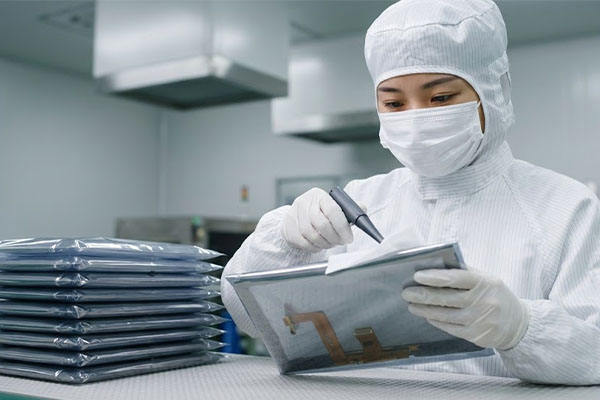
Selecting a Resistive Touchscreen requires a thorough evaluation of your operating environment, necessary input methods like gloved use, and long-term lifecycle requirements. You may often find that off-the-shelf components fail prematurely when exposed to the heavy vibration of a factory floor or the strict disinfection protocols of a clinical setting. These failures lead to expensive equipment downtime and damaged user trust. By focusing on factory-direct specifications and technical durability, you can secure a reliable interface that performs consistently under pressure.
Resistive Touchscreen durability features?
You select a Resistive Touchscreen because it provides unmatched reliability in environments where users must wear gloves or where electromagnetic interference is high. This technology relies on physical pressure rather than electrical capacitance, making it the primary choice for heavy-duty industrial control.
Pressure-Based Input Versatility
The screen responds to any object that applies pressure, including styluses, tools, or heavy protective gloves. This is essential for workers who cannot remove safety gear to interact with machinery.
Resistance to Electrical Noise
Resistive panels are inherently immune to “ghost touches” caused by nearby high-voltage motors or large industrial equipment. You get a stable interface that maintains accuracy even in electronically “noisy” settings.
- Reliable glove operation
- EMI/RFI immunity
- Stable pressure sensing
Here is the deal: if your environment is unpredictable, pressure-based sensing is your safest bet.
Key Takeaway: Resistive technology offers the most versatile input options and electrical stability for harsh industrial zones.
| Feature | Industrial Benefit | |
|---|---|---|
| Input Method | Works with any pressure source | |
| EMI Resistance | No interference from motors | |
| Stability | Prevents accidental ghost touches |
This analysis confirms that resistive tech remains superior for high-noise, high-safety industrial environments.
Resistive Touchscreen wiring options?
Choosing between 4-wire and 5-wire configurations determines the life expectancy and long-term accuracy of your device’s interface. You must decide if your application prioritizes initial cost savings or multi-year operational durability.
Cost-Effective 4-Wire Basics
A 4-wire setup is the most economical choice for devices that see occasional use or have shorter product lifecycles. However, if the top layer is deeply scratched, the entire coordinate system can become unresponsive.
High-Durability 5-Wire Advantage
In a 5-wire system, the coordinate sensing occurs entirely on the stable bottom glass layer, while the top layer acts only as a probe. This means the screen continues to function accurately even after millions of touches or minor surface damage.
Look at the difference in lifecycle expectations below:
- 4-wire: Approximately 1 million touches.
- 5-wire: Approximately 35 million touches.
Key Takeaway: Opt for 5-wire technology when your equipment demands high-traffic reliability and zero downtime.
| Metric | 4-Wire Config | 5-Wire Config | |
|---|---|---|---|
| Lifecycle | ~1 Million Touches | ~35 Million Touches | |
| Damage Tolerance | Low | High | |
| Cost Point | Budget Friendly | Premium Value |
The data shows that 5-wire technology is the standard for mission-critical industrial and medical systems.
Resistive Touchscreen surface coatings?
Selecting the correct surface coating for your Resistive Touchscreen is vital for maintaining readability under harsh lighting and ensuring hygiene in shared spaces. Coatings are not just aesthetic; they are functional layers that protect the display and the user.
Anti-Glare and Anti-Reflection
Anti-glare (AG) coatings diffuse harsh overhead light to prevent mirror-like reflections that strain the operator’s eyes. This is a critical requirement for readability in bright factories or warehouses.
Specialized Medical Coatings
Antimicrobial surface treatments help prevent the spread of germs on shared medical interfaces. These coatings are designed to withstand frequent cleaning with aggressive chemicals like isopropyl alcohol.
Think about it: a screen that is unreadable due to glare is a safety hazard in a fast-paced work zone.
- AG (Anti-Glare)
- AR (Anti-Reflection)
- Antimicrobial options
Key Takeaway: Use Anti-Glare coatings to maximize operator productivity and safety in variable lighting conditions.
| Coating Type | Best Use Case | Primary Benefit | |
|---|---|---|---|
| Anti-Glare | Bright indoor plants | Reduces eye strain | |
| Anti-Reflection | Outdoor sunlight | Increases clarity | |
| Antimicrobial | Hospital wards | Inhibits germ growth |
Appropriate coatings ensure that your hardware remains functional and safe across different vertical markets.
Resistive Touchscreen glass thickness?
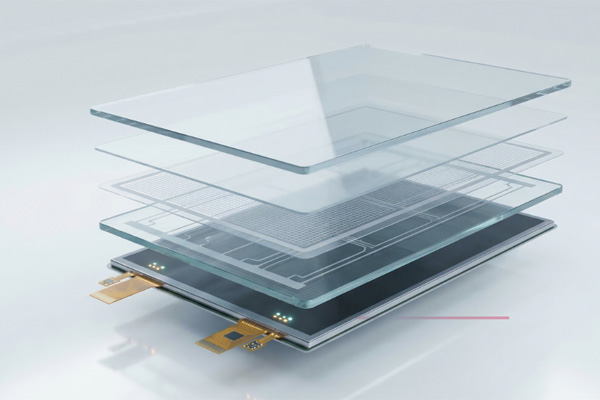
Determining the right glass thickness for your panel allows you to balance physical weight with the structural integrity needed to survive impacts. You should specify thickness based on the likelihood of accidental drops or tool strikes.
Standard vs Strengthened Options
Handheld devices typically use 1.1mm glass for weight efficiency, while stationary kiosks benefit from 3.0mm chemically strengthened glass. Thick glass prevents the panel from flexing, which protects the sensitive internal LCD.
Impact Protection Strategies
Chemically strengthened glass offers superior resistance to cracking compared to standard soda-lime glass. This ensures your interface remains intact even if struck by a falling tool or moved roughly during transport.
The bottom line is this: thinner isn’t always better when it comes to industrial survivability.
- Handhelds: 0.7mm – 1.1mm
- Desktops: 1.8mm – 2.0mm
- Kiosks: 3.0mm+
Key Takeaway: Specify thicker, chemically strengthened glass for any equipment deployed in high-traffic or high-risk areas.
| Application | Thickness | Strength | |
|---|---|---|---|
| Mobile Device | 1.1mm | Light | |
| Industrial PC | 2.0mm | Medium | |
| Outdoor Kiosk | 3.0mm | Heavy Duty |
Matching glass thickness to the application prevents expensive field failures and structural display damage.
Resistive Touchscreen interface protocols?
You must choose an interface protocol for your Resistive Touchscreen that aligns with your existing controller hardware and software architecture. Selecting a “plug-and-play” compatible interface reduces development time and eliminates complex driver issues.
USB and RS232 Compatibility
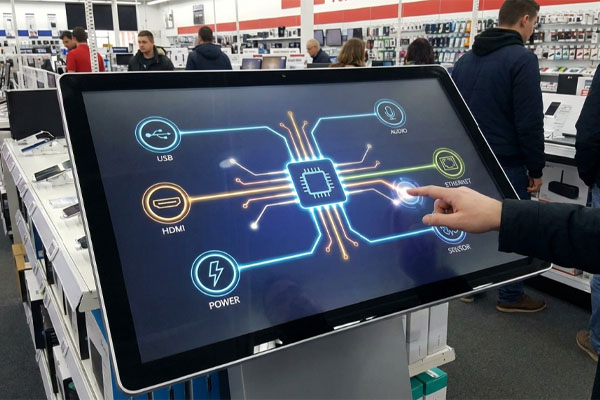
USB is the modern standard for Windows and Linux systems, offering easy installation and high-speed data transfer. For legacy systems or long-distance cabling, the RS232 serial interface remains a reliable and proven choice.
Embedded System Integration
If you are designing a compact handheld device, an I2C interface allows the touchscreen to communicate directly with your PCB. This saves internal space and simplifies the overall electronic design.
Don’t ignore the importance of protocol: a mismatch here can stall your entire production schedule.
- Universal USB
- Serial RS232
- Embedded I2C
Key Takeaway: Verify your hardware’s available ports to ensure seamless integration with your chosen touchscreen protocol.
| Interface | Platform | Best For | |
|---|---|---|---|
| USB | PC/Tablet | Ease of setup | |
| RS232 | Legacy PLC | Long cable runs | |
| I2C | Microcontroller | Compact designs |
Proper interface selection ensures that your human-machine interface communicates effectively with your control systems.
Resistive Touchscreen optical bonding?
Optical bonding is essential for displays used in bright environments because it eliminates the air gap between the touchscreen and the LCD. This process significantly improves visual clarity and protects the internal components from moisture.
Visibility and Contrast Gains
By filling the air gap with a clear resin, internal reflections are reduced by up to 90%. This makes the display readable even in direct sunlight or under intense indoor lighting.
Protection Against Condensation
In high-humidity environments, an air gap can lead to fogging or condensation inside the display. Optical bonding creates a solid seal that prevents moisture ingress and ensures long-term visibility.
It really comes down to this: if you can’t see the screen, the technology is useless.
- Reduction in reflections
- No internal fogging
- Increased impact resistance
Key Takeaway: Invest in optical bonding for any screen that will be exposed to sunlight or high-humidity conditions.
| Feature | Air Bonded | Optically Bonded | |
|---|---|---|---|
| Reflectivity | High | Extremely Low | |
| Fogging Risk | Yes | Zero | |
| Impact Strength | Standard | Reinforced |
Optical bonding transforms a standard display into a high-performance visual interface suitable for all conditions.
Resistive Touchscreen customization?
Customizing your Resistive Touchscreen allows you to simplify the final assembly process and reinforce your professional brand identity. You do not have to settle for standard sizes when tailored dimensions can fit your enclosure perfectly.
Logo and Silk Screen Printing
Adding your company logo or custom button icons directly to the glass cover creates a professional, integrated look. These prints are durable and can withstand the harsh chemicals used in medical or industrial cleaning.
Tailored Tail and FPC Designs
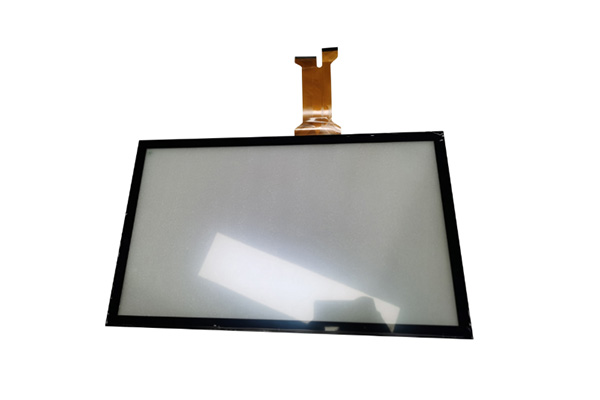
You can customize the length and position of the flexible printed circuit (FPC) tail to match your internal motherboard layout. This prevents cable strain and reduces the risk of connectivity failures during the assembly process.
Here is the deal: custom features reduce your internal costs and improve the end-user experience.
- Branded logos
- Custom tail lengths
- Unique shapes and cutouts
Key Takeaway: Leverage customization to reduce assembly complexity and create a unique, branded product experience.
| Option | Benefit | Impact | |
|---|---|---|---|
| Silk Printing | Branding | Professional look | |
| Custom Tail | Easier assembly | Lower failure rate | |
| Unique Shape | Enclosure fit | Better integration |
Customization ensures that your touchscreen is not just a part, but a perfectly integrated component of your design.
Resistive Touchscreen factory quality?
Verifying the manufacturing quality of your panels involves reviewing inspection reports and ensuring the factory follows strict production standards. You should work directly with a manufacturer to ensure that your technical requirements are met without middleman markups.
Importance of BOM Locking
When a factory locks the Bill of Materials (BOM), every component—from the glue to the glass—is frozen. This guarantees that the units you receive next year are identical to the samples you approved today.
Functional Testing and Reports
A reliable manufacturer provides 100% functional testing data for every batch, including sensitivity maps and electrical checks. These reports provide the documented proof you need to ensure consistent quality at scale.
Consistency is key: one bad batch can ruin a hard-earned reputation with your clients.
- Locked BOM control
- ISO-certified processes
- 100% functional inspection
Key Takeaway: Deal directly with the factory to ensure pricing stability and strict adherence to your technical specifications.
| Quality Check | Frequency | Goal | |
|---|---|---|---|
| Functional Test | 100% of Units | Zero defects | |
| BOM Audit | Quarterly | Prevent part drift | |
| Visual Check | Every Batch | Cosmetic perfection |
High factory standards are the foundation of a reliable and long-lasting human-machine interface.
Resistive Touchscreen supply chain?
Securing a stable supply chain for your Resistive Touchscreen prevents production delays and ensures that you can fulfill your orders on time. You must partner with a supplier that offers long-term availability for your specific screen model.
Avoiding Middleman Risks
Trading companies often switch factories to save costs, which can lead to sudden changes in component quality or specifications. By sourcing directly from a manufacturer, you maintain control over your product’s technical DNA.
Inventory Management Support
A dedicated manufacturing partner can maintain buffer stock of your custom screens to prevent shortages during peak seasons. This level of support is essential for scaling your business without supply chain interruptions.
You need to know: your supply chain is only as strong as its weakest link.
- Direct factory access
- Locked specifications
- Safety stock options
Key Takeaway: Partner with a direct manufacturer to guarantee long-term component availability and technical consistency.
| Sourcing Type | Reliability | Technical Support | |
|---|---|---|---|
| Direct Factory | High | Expert / Direct | |
| Trading Company | Variable | Delayed / General | |
| Stock Distributor | High (Standard) | None |
Direct factory partnerships provide the security and specialized knowledge needed for complex B2B projects.
Resistive Touchscreen application sectors?
Resistive panels are utilized across various sectors including industrial automation, medical diagnostics, and vehicle navigation systems. You must tailor the screen’s features to the specific demands of your industry to ensure peak performance.
Industrial Automation Floors
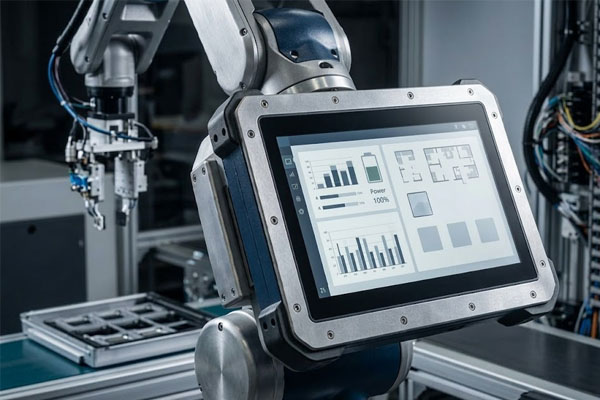
In factories, screens must survive grease, dust, and heavy vibrations while being operated by gloved workers. Resistive technology is the standard here because it remains accurate regardless of contaminants.
Precise Medical Interfaces
Medical devices require high touch precision for critical adjustments in surgery or patient monitoring. Panels must also feature chemical-resistant surfaces to allow for the frequent sterilization required in clinical environments.
The choice is clear: match the hardware to the environment for the best results.
- Industrial: Rugged and glove-friendly.
- Medical: Hygienic and high-precision.
- Automotive: Temperature-stable and vibration-resistant.
Key Takeaway: Always prioritize environmental suitability over generic specifications when selecting a touchscreen for a specific sector.
| Sector | Key Requirement | Preferred Feature | |
|---|---|---|---|
| Industrial | Ruggedness | 5-Wire / AG Coating | |
| Medical | Hygiene | Antimicrobial / 1.1mm | |
| Automotive | Temp Stability | Wide Range (-20 to +70) |
By selecting sector-specific features, you ensure that your device meets the rigorous standards of your industry.
Frequently Asked Questions
Can I use a stylus with these screens?Yes, resistive technology is compatible with any pressure-applying object, including plastic, wood, or metal styluses.
What is the best way to clean them?Judgement first: Use a soft cloth with isopropyl alcohol for industrial-grade panels, as they are designed to resist chemical cleaning.
Can I get a custom size for my project?Yes, we support full customization of dimensions and tail configurations based on your technical drawings.
Is it possible to use these screens outdoors?Yes, but you should specify optical bonding and high-brightness LCDs to ensure visibility in direct sunlight.
Can I get a sample before ordering bulk?Yes, we provide sample batches of 5-50 units to allow for full technical verification before you commit to mass production.
Conclusion
Successfully navigating the selection process means finding a balance between rugged durability and technical precision. We help you resolve sourcing challenges by providing direct factory access, BOM-locked consistency, and engineering-level customization. At Yinghong, we manufacture high-performance touch solutions that ensure your mission-critical interfaces never fail in the field. Our vision is to be the global partner of choice for precision touch technology that drives industrial and medical innovation. If you are ready to secure your supply chain and elevate your product quality, please contact us today to discuss your specific requirements.