
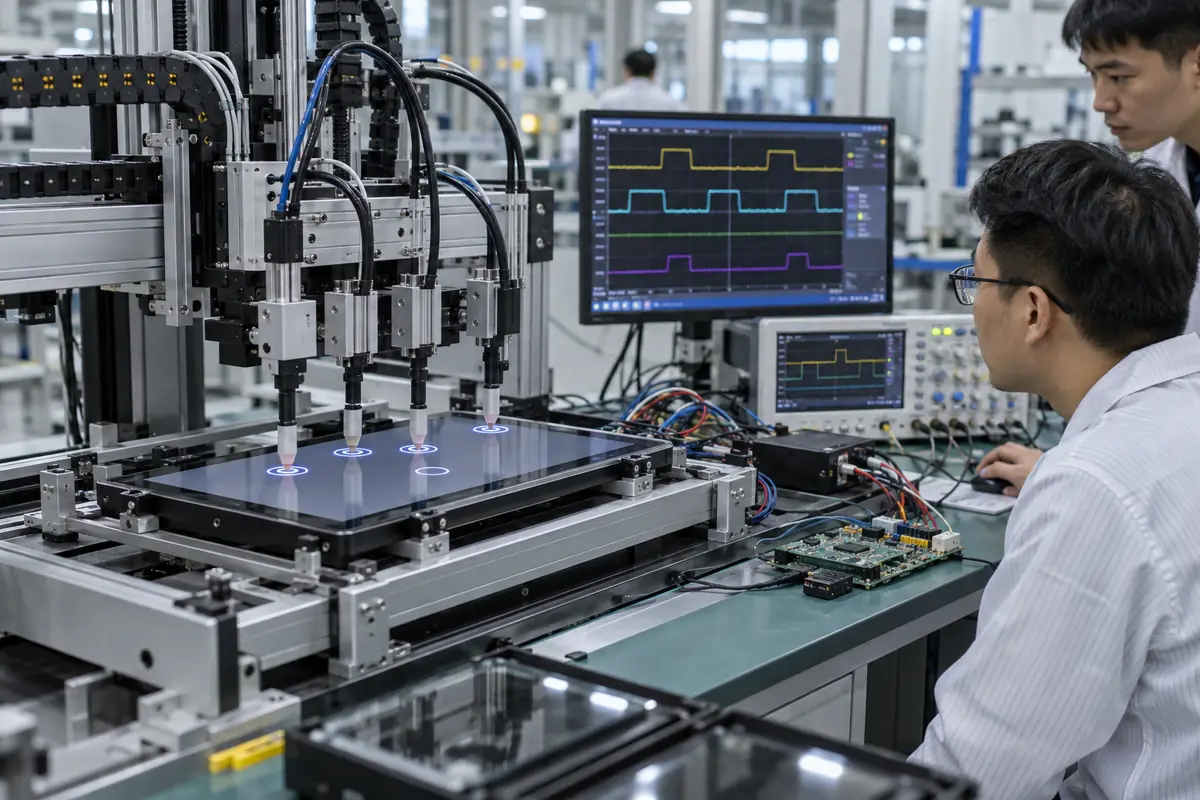
Touchscreens detect input by measuring a physical change, filtering raw data, estimating position, and reporting an event to device software. A buyer researching "how touchscreens detect input" may receive mismatched quotations because suppliers use familiar terms for different delivery scopes. This guide applies "how touchscreens detect input" across ten practical checks for engineering, purchasing, and quality teams. For "how touchscreens detect input," Yinghong works from drawings, application conditions, and interface requirements. Use this "how touchscreens detect input" review during RFQ checks, sample approval, integration testing, and production release. That sequence helps your team compare factories on one basis for "how touchscreens detect input" without broad marketing claims. It keeps "how touchscreens detect input" scope connected with evidence that engineers and inspectors can verify.
1. Which Physical Change Starts Detection?
Touch input detection depends on a measurable change such as capacitance, resistance, interrupted light, acoustic energy, or force. In an RFQ, the phrase "how touchscreens detect input" must cover physical interaction without ambiguity. Each technology converts user contact into a signal through a different sensor structure. An input object that works for one method may remain invisible to another.
Start with physical interaction. Buyers should ask how factory controls carry physical interaction from design review into production. One sample for physical interaction shows a single build at one moment. Batch records for "how touchscreens detect input" reveal whether materials, firmware, tooling, and inspection stayed aligned.
How should engineers verify physical interaction?
- Name input object
- Set contact force
- Define proximity
- Describe contaminants
| Buyer check | Evidence | Release rule |
|---|---|---|
| Name input object | Controlled drawing | Scope and revision match |
| Set contact force | Approved sample | Construction matches approval |
| Define proximity | Relevant test record | Method fits stated use |
| Describe contaminants | Batch inspection record | Result meets agreed limit |
Use the capacitive touchscreen options as related context for "how touchscreens detect input." Buyer action: list finger, glove, stylus, pressure, and proximity needs before choosing technology.
2. How Does a Controller Scan a Sensor?
Touch input detection begins electronically when a controller excites and measures sensor channels in a timed sequence. The question "how touchscreens detect input" also raises a practical issue around channel scanning. Large sensors or long tails can exceed settings copied from smaller designs. Scan rate, channel order, charge time, electrode resistance, and parasitic load shape raw data quality.
A drawing for channel scanning settles this quickly. A practical decision on channel scanning needs application data, product drawings, and relevant evidence. No sales phrase can prove channel scanning for "how touchscreens detect input." Keep measurable channel scanning acceptance points and approved references available for supplier and buyer.
How should engineers verify channel scanning?
- Count channels
- Measure resistance
- Check scan rate
- Review tail length
| Buyer check | Evidence | Release rule |
|---|---|---|
| Count channels | Controlled drawing | Scope and revision match |
| Measure resistance | Approved sample | Construction matches approval |
| Check scan rate | Relevant test record | Method fits stated use |
| Review tail length | Batch inspection record | Result meets agreed limit |
Use the resistive touchscreen options as related context for "how touchscreens detect input." Buyer action: review acquisition timing with final sensor size and routing.
3. How Is a Baseline Maintained?
Touch input detection uses a baseline that represents untouched conditions before a controller looks for change. For a buyer asking "how touchscreens detect input," sourcing decisions depend on baseline tracking. Temperature, humidity, contamination, component drift, and power state can move that baseline over time. Fast tracking may erase a slow touch while slow tracking may preserve environmental drift.
Factory evidence for baseline tracking beats a sales label. Review baseline tracking with teams that own mechanics, electronics, firmware, purchasing, and quality. Each function sees a different baseline tracking failure path. A short cross-functional review prevents expensive assumptions around "how touchscreens detect input" and records ownership.
How should engineers verify baseline tracking?
- Log startup baseline
- Cycle temperature
- Add contamination
- Test long presses
| Buyer check | Evidence | Release rule |
|---|---|---|
| Log startup baseline | Controlled drawing | Scope and revision match |
| Cycle temperature | Approved sample | Construction matches approval |
| Add contamination | Relevant test record | Method fits stated use |
| Test long presses | Batch inspection record | Result meets agreed limit |
Use the touch display module integration as related context for "how touchscreens detect input." Buyer action: tune baseline rules through long-duration and environmental tests.
4. How Are Real Touches Separated from Noise?
Touch input detection applies thresholds, persistence rules, spatial patterns, and filters before accepting a contact. Teams researching "how touchscreens detect input" also need a clear decision on touch qualification. Filters can reduce false events yet also add latency or miss light touches. Real touches usually create coherent changes while electrical noise may appear brief, periodic, or spread differently.
Check touch qualification before sampling. A useful review connects touch qualification with one drawing, one sample revision, and one test plan. Buyers should compare matching scope for touch qualification before price. A supplier should record every accepted deviation involving touch qualification for production and receiving inspection.
How should engineers verify touch qualification?
- Set threshold
- Measure latency
- Inject noise
- Count false events
| Buyer check | Evidence | Release rule |
|---|---|---|
| Set threshold | Controlled drawing | Scope and revision match |
| Measure latency | Approved sample | Construction matches approval |
| Inject noise | Relevant test record | Method fits stated use |
| Count false events | Batch inspection record | Result meets agreed limit |
Use the fully laminated touchscreen construction as related context for "how touchscreens detect input." Buyer action: measure both false-touch rate and intended-touch response under disturbance.
5. How Are X-Y Coordinates Calculated?
Touch input detection derives coordinates from relative signal strength across nearby electrodes or measured resistive axes. In an RFQ, the phrase "how touchscreens detect input" must cover position calculation without ambiguity. Interpolation, calibration, linearization, and edge correction convert raw values into screen positions. Mechanical misalignment can create accurate sensor data but wrong display mapping.
One missing position calculation detail can shift ownership. Treat position calculation as a project condition rather than catalog copy. Engineering can define a pass rule for position calculation before samples arrive. Purchasing and quality teams can then apply that rule without hidden changes in "how touchscreens detect input."
How should engineers verify position calculation?
- Test grid points
- Check linearity
- Verify corners
- Align display mapping
| Buyer check | Evidence | Release rule |
|---|---|---|
| Test grid points | Controlled drawing | Scope and revision match |
| Check linearity | Approved sample | Construction matches approval |
| Verify corners | Relevant test record | Method fits stated use |
| Align display mapping | Batch inspection record | Result meets agreed limit |
Use the industrial control touchscreen solutions as related context for "how touchscreens detect input." Buyer action: verify full-grid accuracy after final assembly and display alignment.
6. How Are Multiple Contacts Tracked?
Touch input detection can associate changing signal clusters with several fingers across consecutive scans. The question "how touchscreens detect input" also raises a practical issue around multi-touch tracking. Advertised point count does not guarantee close spacing or stable paths. Tracking logic assigns identities, resolves crossing paths, and handles contacts that merge or separate.
Keep teams aligned on multi-touch tracking. Buyers should ask how factory controls carry multi-touch tracking from design review into production. One sample for multi-touch tracking shows a single build at one moment. Batch records for "how touchscreens detect input" reveal whether materials, firmware, tooling, and inspection stayed aligned.
How should engineers verify multi-touch tracking?
- Set contact count
- Cross touch paths
- Test close spacing
- Measure report rate
| Buyer check | Evidence | Release rule |
|---|---|---|
| Set contact count | Controlled drawing | Scope and revision match |
| Cross touch paths | Approved sample | Construction matches approval |
| Test close spacing | Relevant test record | Method fits stated use |
| Measure report rate | Batch inspection record | Result meets agreed limit |
Use the outdoor laminated touchscreen design as related context for "how touchscreens detect input." Buyer action: test required gestures with realistic finger sizes and movement speeds.
7. How Are Water and Gloves Classified?
Touch input detection uses signal shape and tuning modes to distinguish intended glove touches from water-related changes. For a buyer asking "how touchscreens detect input," sourcing decisions depend on environmental classification. Droplets, films, flowing water, wet gloves, and grounded liquid can produce very different patterns. One wet-finger demo cannot prove reliable operation across all water states.
Test the complete case for environmental classification. A practical decision on environmental classification needs application data, product drawings, and relevant evidence. No sales phrase can prove environmental classification for "how touchscreens detect input." Keep measurable environmental classification acceptance points and approved references available for supplier and buyer.
How should engineers verify environmental classification?
- Test droplets
- Test water film
- Test wet gloves
- Test flowing water
| Buyer check | Evidence | Release rule |
|---|---|---|
| Test droplets | Controlled drawing | Scope and revision match |
| Test water film | Approved sample | Construction matches approval |
| Test wet gloves | Relevant test record | Method fits stated use |
| Test flowing water | Batch inspection record | Result meets agreed limit |
Use the medical touchscreen applications as related context for "how touchscreens detect input." Buyer action: define exact exposure and build a separate test for each state.
8. How Does a Touch Become a Host Event?
Touch input detection ends with a report containing coordinates, contact state, pressure proxy, point ID, or gesture data. Teams researching "how touchscreens detect input" also need a clear decision on event reporting. A controller can report correctly while host software maps or filters events badly. Protocol, report format, driver, operating system, and application logic decide how that data becomes an action.
Make event reporting traceable. Review event reporting with teams that own mechanics, electronics, firmware, purchasing, and quality. Each function sees a different event reporting failure path. A short cross-functional review prevents expensive assumptions around "how touchscreens detect input" and records ownership.
How should engineers verify event reporting?
- Record bus traffic
- Check report format
- Verify driver
- Test application mapping
| Buyer check | Evidence | Release rule |
|---|---|---|
| Record bus traffic | Controlled drawing | Scope and revision match |
| Check report format | Approved sample | Construction matches approval |
| Verify driver | Relevant test record | Method fits stated use |
| Test application mapping | Batch inspection record | Result meets agreed limit |
Use the vehicle navigation touchscreens as related context for "how touchscreens detect input." Buyer action: capture bus data and application response during integration debugging.
9. Which Fixtures Improve Detection Testing?
Touch input detection testing becomes repeatable with robotic probes, coordinate grids, force control, environmental chambers, and logged software. In an RFQ, the phrase "how touchscreens detect input" must cover automated testing without ambiguity. Fixtures can measure accuracy, jitter, linearity, latency, edge response, and false events without operator variation. A fixture still needs calibration and a method matched with actual users.
Production control for automated testing closes the loop. A useful review connects automated testing with one drawing, one sample revision, and one test plan. Buyers should compare matching scope for automated testing before price. A supplier should record every accepted deviation involving automated testing for production and receiving inspection.
How should engineers verify automated testing?
- Choose probe tip
- Control force
- Calibrate coordinates
- Log raw results
| Buyer check | Evidence | Release rule |
|---|---|---|
| Choose probe tip | Controlled drawing | Scope and revision match |
| Control force | Approved sample | Construction matches approval |
| Calibrate coordinates | Relevant test record | Method fits stated use |
| Log raw results | Batch inspection record | Result meets agreed limit |
Use the factory background as related context for "how touchscreens detect input." Buyer action: define probe material, force, path, speed, calibration, and pass limits.
10. What Should a Detection Test Plan Cover?
Touch input detection validation should cover startup, normal use, edges, gestures, gloves, moisture, noise, temperature, sleep, and recovery. The question "how touchscreens detect input" also raises a practical issue around test coverage. Testing only nominal room conditions leaves system risks invisible until field use. Each case needs a defined setup, action, expected result, limit, and product revision.
Put test coverage into writing. Treat test coverage as a project condition rather than catalog copy. Engineering can define a pass rule for test coverage before samples arrive. Purchasing and quality teams can then apply that rule without hidden changes in "how touchscreens detect input."
How should engineers verify test coverage?
- Cover power states
- Cover environment
- Cover user inputs
- Control retesting
Use the engineering contact as related context for "how touchscreens detect input." Buyer action: build coverage from real hazards and rerun it after hardware or firmware change.
Frequently Asked Questions About how touchscreens detect input
Q1: What does how touchscreens detect input mean for a buyer? It defines signal acquisition, coordinate processing, rejection logic, and event reporting. Purchasing, engineering, and quality teams can then compare suppliers on one basis for "how touchscreens detect input."
Q2: Which information should I send with an RFQ about how touchscreens detect input? Send application conditions, target dimensions, interface needs, environmental limits, annual volume, and requirements connected with channel scanning.
Q3: Can I approve how touchscreens detect input from a visual sample alone? No. A visual sample cannot prove multi-touch tracking, controller behavior, dimensional consistency, or batch control. Pair "how touchscreens detect input" samples with drawings and test records.
Q4: How do I know whether two how touchscreens detect input quotations match? Build a how touchscreens detect input comparison sheet for delivery scope, materials, controller, firmware, interfaces, dimensions, tolerances, and tests. Add documentation, packing, and change-control fields for "how touchscreens detect input."
Q5: What should I verify before how touchscreens detect input mass production? Verify signed drawings, approved samples, integration results, golden firmware, inspection rules, packaging, and factory controls for automated testing.