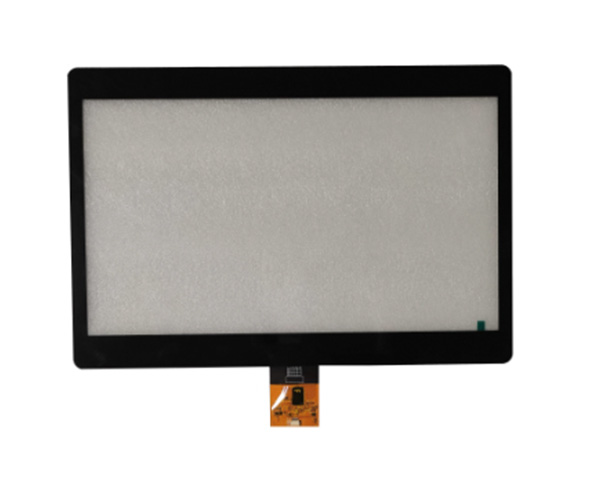
Sourcing a high-performance Android Industrial Touchscreen requires prioritizing hardware reliability, factory-direct quality control, and long-term component availability to ensure seamless integration into mission-critical automation environments. Procurement managers often face the “middleman trap,” where suppliers claim to be manufacturers but are actually traders, leading to inconsistent quality between samples and mass production. This inconsistency causes devastating project delays, technical mismatches in harsh industrial settings, and inflated costs that erode your project’s ROI. By partnering directly with a specialized manufacturer, you gain access to engineering-level customization, BOM (Bill of Materials) lock-in, and factory-verified durability.
1. What is the primary benefit of an Android Industrial Touchscreen?
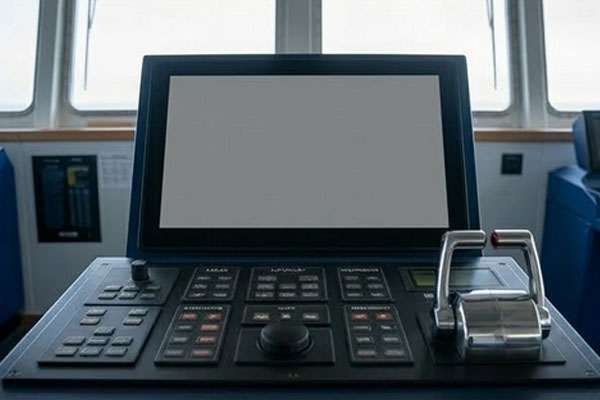
The primary benefit of an Android Industrial Touchscreen is its ability to provide a familiar, smartphone-like user experience while maintaining the rugged durability required for 24/7 factory operations. Modern industrial environments demand intuitive interfaces that reduce operator training time and improve data visualization.
Why transition to Android-based HMIs?
Transitioning to these systems allows for more complex application support compared to traditional proprietary hardware. You can leverage the vast Android developer ecosystem to build custom apps that integrate directly with your enterprise resource planning tools.
Can these screens handle high-traffic environments?
Yes, because they are engineered with industrial-grade processors designed for constant uptime. Here is the truth: these devices are built specifically to avoid the thermal throttling and software lag common in consumer tablets.
- Supports complex 3D renderings for parts.
- Provides real-time telemetry updates.
- Enables remote management via MDM.
- Resists electromagnetic interference in workshops.
Summary Table: Primary Benefits
| Feature | Benefit | Business Impact |
|---|---|---|
| User Interface | Intuitive UX | Reduced training costs |
| App Ecosystem | Customization | Faster integration |
| Hardware | 24/7 Reliability | Reduced downtime |
The transition from legacy panels to modern touch interfaces represents a shift toward data-driven manufacturing efficiency.
Key Takeaway: Adopting an Android-based interface allows you to modernize your factory floor without sacrificing the ruggedness needed for heavy industrial use.
2. How do you evaluate the durability of an Android Industrial Touchscreen?
Evaluating the durability of an Android Industrial Touchscreen requires a strict assessment of its IP ingress protection ratings and its ability to withstand physical impacts. Without these verified standards, your hardware will likely fail when exposed to the dust, moisture, and vibrations typical of a production line.
What IP ratings are necessary for protection?
For most manufacturing settings, the front panel must feature at least an IP65 rating to remain dust-tight and resistant to low-pressure water jets. This ensures the internal electronics stay dry during routine machine washdowns.
How does glass thickness impact longevity?
Think about this: standard glass will shatter under the stress of industrial tools or accidental drops. Specifying chemically strengthened glass ranging from 3mm to 6mm provides the necessary IK impact resistance for high-risk zones.
- IP65/IP66 for moisture protection.
- IK08 to IK10 for impact resistance.
- Wide temperature range support.
- Gasket-sealed bezel design.
Summary Table: Durability Standards
| Specification | Minimum Target | Purpose |
|---|---|---|
| IP Rating | IP65 (Front) | Dust and water seal |
| Impact Rating | IK08 | Physical shock protection |
| Operating Temp | -20°C to +70°C | Environmental stability |
Durability testing in a controlled laboratory environment is the only way to guarantee that your screens won’t fail in the field.
Key Takeaway: Always verify the ingress and impact certifications of your supplier to prevent costly replacements and unexpected system failures.
3. Which display specs matter most for an Android Industrial Touchscreen?
The most critical display specifications for an Android Industrial Touchscreen are high brightness levels and wide viewing angles to ensure readability under various lighting conditions. If an operator cannot see the screen clearly due to glare or low luminance, the risk of input errors increases dramatically.
Is brightness the most critical factor?
High-brightness displays reaching up to 1000 nits are essential for outdoor applications or facilities with intense overhead lighting. Without sufficient backlight power, the screen becomes a mirror rather than a functional tool.
Does resolution affect operator performance?
But wait, there is more: while brightness matters, resolution ensures that small text and complex diagrams are legible. A standard 1920×1080 HD resolution is typically the sweet spot for modern industrial monitoring.
- High luminance (500-1000 nits).
- Wide viewing angles (178°/178°).
- Anti-glare and anti-reflective coatings.
- High contrast ratios for clarity.
Summary Table: Display Quality Metrics
| Metric | Standard Value | Industrial Advantage |
|---|---|---|
| Brightness | 1000 Nits | Sunlight readability |
| Resolution | 1080p Full HD | Visual precision |
| Coating | Anti-Glare | Reduced eye strain |
Prioritizing readability ensures that your staff can interact with the machine safely and efficiently regardless of the environment.
Key Takeaway: Invest in high-brightness panels with anti-glare coatings to ensure your interface remains usable even in the most challenging light.
4. How does capacitive tech improve an Android Industrial Touchscreen?
Capacitive technology improves an Android Industrial Touchscreen by providing precise multi-touch control and superior optical clarity compared to traditional resistive alternatives. This technology enables “pinch-to-zoom” and other complex gestures that make navigating detailed industrial schematics much faster.
Why choose capacitive over resistive?
Capacitive sensors are much more durable because they don’t rely on physical pressure, which can wear out the screen surface over time. They offer a glass-on-glass construction that remains responsive even after millions of touches.
Does it support gloved operation?
Here is the kicker: advanced capacitive controllers can be tuned to work through heavy nitrile or leather gloves. This feature is vital in environments where operators must wear personal protective equipment at all times.
- Supports 10-point multi-touch.
- Enables water rejection for wet surfaces.
- Functions through protective gloves.
- Provides high light transmission.
Summary Table: Touch Technology Comparison
| Feature | Capacitive | Resistive |
|---|---|---|
| Durability | High (Solid Glass) | Moderate (Flexible Film) |
| Accuracy | Precise (Electronic) | Lower (Mechanical) |
| Multi-Touch | Supported | Not Supported |
Selecting the right touch sensor is a balance between your specific environmental needs and the level of user precision required.
Key Takeaway: Use capacitive touch for any application where speed, accuracy, and modern gesture support are critical to your operation.
5. Why is factory-direct sourcing vital for an Android Industrial Touchscreen?
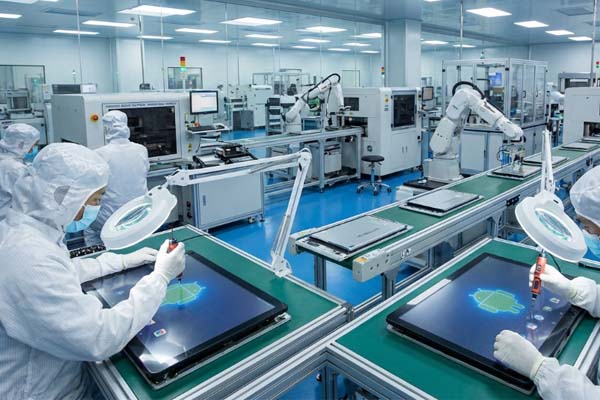
Factory-direct sourcing for an Android Industrial Touchscreen is vital because it eliminates the technical disconnect and price markups associated with trading companies. When you work with the manufacturer, you communicate directly with the engineers who design the circuit boards and choose the internal components.
How to verify a real factory?
You should always request a live video tour or physical access to the production workshop to verify the supplier’s actual capacity. A real manufacturer will have dedicated clean rooms for bonding touch sensors to display panels.
Why bypass the middleman trader?
Traders often swap components between batches to save costs, which can lead to software compatibility issues in your final project. Look at it this way: a factory gives you a locked Bill of Materials that guarantees consistency for years.
- Direct engineering support.
- Transparent quality control.
- Lower per-unit cost.
- Long-term parts availability.
Summary Table: Sourcing Models
| Aspect | Factory Direct | Trading Company |
|---|---|---|
| Technical Support | Engineer-led | Sales-led |
| Price | Wholesale | Marked-up |
| BOM Control | Locked & Verified | Potentially inconsistent |
A direct partnership ensures that your technical requirements are met without any “lost in translation” errors during the procurement process.
Key Takeaway: Partnering with a manufacturer provides the technical transparency and cost stability needed for large-scale industrial rollouts.
6. What software integration works best for an Android Industrial Touchscreen?
The best software integration for an Android Industrial Touchscreen involves a custom, “rooted” version of Android that allows you to lock the device into a dedicated Kiosk Mode. This prevents unauthorized users from accessing system settings or third-party apps that could compromise security.
Can it support custom Android builds?
Yes, high-quality industrial suppliers provide custom firmware that strips away unnecessary consumer bloatware. This optimization results in a faster boot time and more RAM availability for your critical monitoring software.
Is remote management possible?
Think about it: managing five hundred screens across multiple sites is impossible without Mobile Device Management (MDM) compatibility. These systems allow your IT team to push security patches and app updates over the air.
- Kiosk Mode for security.
- Custom boot logos and animations.
- Remote device monitoring tools.
- SDK/API support for developers.
Summary Table: Software Features
| Feature | Industrial Requirement | Outcome |
|---|---|---|
| OS Customization | Root Access | Total control over apps |
| Device Locking | Kiosk Mode | Prevents system tampering |
| Updates | OTA (Over-the-Air) | Efficient fleet maintenance |
Optimizing the software layer is just as important as selecting the right hardware to ensure long-term system stability.
Key Takeaway: Ensure your hardware supports custom OS builds to provide a secure and efficient environment for your specialized applications.
7. How to customize the bezel of an Android Industrial Touchscreen?
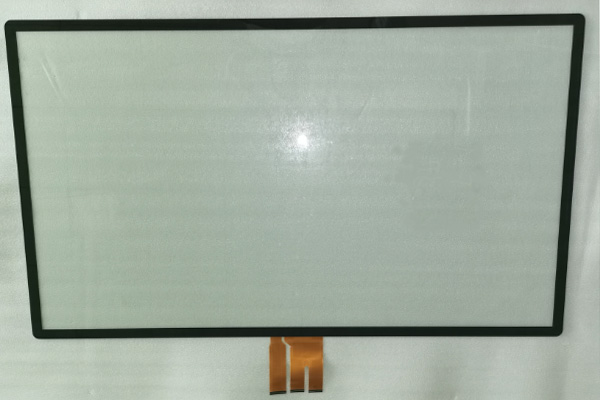
Customizing the bezel of an Android Industrial Touchscreen involves selecting materials like stainless steel or aluminum to match the aesthetic and hygienic requirements of your facility. A seamless, flat-front bezel is often preferred because it eliminates corners where dirt, oil, or bacteria can accumulate.
What are the benefits of a seamless panel?
A true flat-surface design allows for easy cleaning with industrial solvents without the risk of liquid seeping into the frame. This is particularly useful in food processing or medical environments where hygiene is non-negotiable.
Can custom logos be added?
The best part? You can incorporate your own branding through silk-screen printing on the glass cover. This adds a professional, high-end look to your finished machines and strengthens your brand presence on the factory floor.
- Custom silk-screen logos.
- Multiple frame material options.
- Zero-bezel “edge-to-edge” glass.
- UV-resistant decorative coatings.
Summary Table: Bezel Customization
| Option | Material/Method | Purpose |
|---|---|---|
| Frame Material | 304 Stainless Steel | Corrosion resistance |
| Design Style | Seamless Flat-Front | Easier cleaning/Hygienic |
| Branding | Silk-Screen Printing | OEM Brand identity |
Tailoring the physical look of the device ensures it integrates perfectly into your existing machine housing while projecting a premium image.
Key Takeaway: Use seamless, flat-panel designs to improve both the hygiene and the professional appearance of your industrial control systems.
8. What are the thermal limits for an Android Industrial Touchscreen?
Thermal limits for an Android Industrial Touchscreen are generally much wider than consumer devices, often operating reliably between -20°C and +70°C. In high-heat industrial environments, a standard tablet would overheat and shut down, but industrial screens use passive cooling systems to stay functional.
How do fanless designs manage heat?
Fanless designs use the entire metal housing of the device as a giant heat sink to dissipate warmth. This is critical because cooling fans are often a point of failure in dusty environments where they can become clogged.
What happens in extreme cold?
Here is the truth: in sub-zero temperatures, standard LCDs become sluggish or stop responding entirely. Industrial units often include internal heaters to keep the liquid crystal and touch sensors at an optimal operating temperature.
- Extended temp range (-20 to 70°C).
- Passive cooling/Fanless architecture.
- Internal heaters for cold starts.
- Heat-resistant internal components.
Summary Table: Thermal Management
| Condition | Industrial Solution | Result |
|---|---|---|
| High Heat | Aluminum Heat Dissipation | No thermal throttling |
| Extreme Cold | Auto-Heating Modules | Instant boot in sub-zero |
| Dusty Areas | Fanless Construction | Zero mechanical failures |
Stable thermal performance ensures that your system remains online during the hottest summer days or in unheated winter warehouses.
Key Takeaway: Always specify a wide-temperature model if your screens will be located near heat-generating machinery or in non-climate-controlled zones.
9. How to ensure consistency in an Android Industrial Touchscreen order?
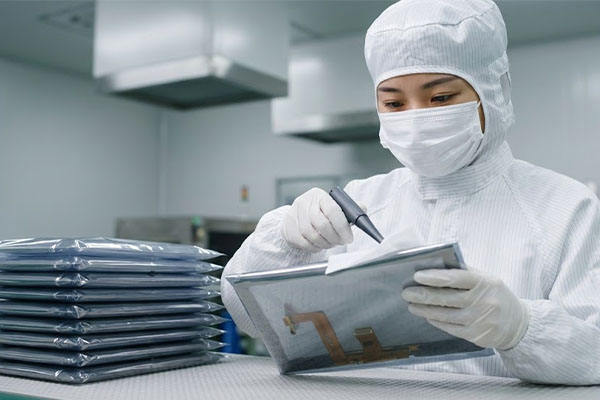
Ensuring consistency in an Android Industrial Touchscreen order requires a locked Bill of Materials (BOM) to prevent unauthorized component swapping between production batches. This process guarantees that the processor, touch controller, and panel in your 100th unit are identical to your initial sample.
What is BOM lock-in?
BOM lock-in is a formal agreement where the factory commits to using the exact same internal parts for the duration of your contract. This prevents software glitches that occur when manufacturers change internal hardware without notice.
How are mass production batches verified?
Think about it: a reliable manufacturer will provide a detailed QC report for every shipment. These reports should include results for touch accuracy, brightness consistency, and 48-hour high-temperature aging tests.
- Digital BOM version tracking.
- 100% functional testing before shipping.
- Aging tests in thermal chambers.
- Traceable component serial numbers.
Summary Table: Consistency Checklist
| Quality Step | Method | Objective |
|---|---|---|
| BOM Lock | Signed specification sheet | Prevent part swapping |
| Burn-In Test | 24-48 hour stress run | Catch early component failures |
| Visual QC | Microscopic inspection | Zero pixel/finish defects |
Maintaining strict quality protocols is the only way to ensure that your global rollout goes smoothly without site-specific hardware issues.
Key Takeaway: Demand a locked BOM and detailed inspection reports for every batch to protect your project from hardware variability.
10. What is the ROI of a high-quality Android Industrial Touchscreen?
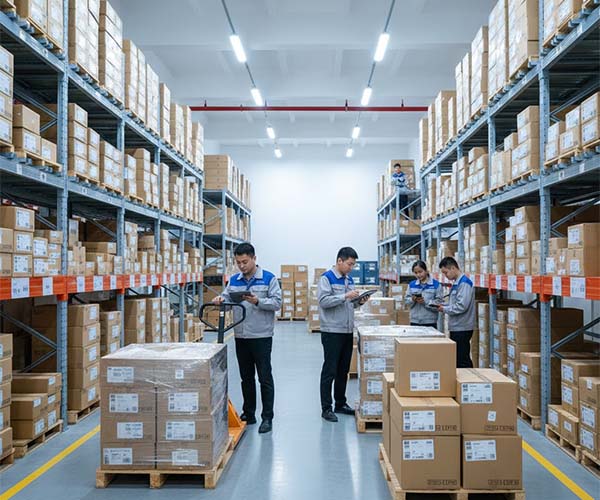
The ROI of a high-quality Android Industrial Touchscreen is realized through significantly lower total cost of ownership (TCO) over the device’s five-to-seven-year lifespan. While the initial purchase price may be higher than consumer tablets, the absence of frequent repair costs and downtime makes it much cheaper in the long run.
Does durability reduce long-term costs?
Yes, because an industrial-grade unit can survive a decade in a factory, whereas a cheap alternative might need replacement every eighteen months. Reducing the frequency of hardware replacements also lowers the labor cost of installation and configuration.
How does it improve operator efficiency?
But wait, there is more: a responsive and clear interface allows operators to complete tasks up to 30% faster. Improved accuracy in data entry leads to fewer production errors and less wasted material across your facility.
- Lower maintenance/repair labor.
- Reduced machine downtime.
- Improved data entry accuracy.
- Extended product lifecycle (5-7 years).
Summary Table: Return on Investment
| Cost Category | Industrial Unit | Consumer Tablet |
|---|---|---|
| Replacement Cycle | 5-7 Years | 1-2 Years |
| Downtime Risk | Extremely Low | High |
| Total 5-Year Cost | Lower | Significantly Higher |
By investing in quality upfront, you protect your production targets and simplify the long-term management of your facility’s technology stack.
Key Takeaway: Calculate your ROI based on a five-year lifecycle to see the massive savings provided by industrial-grade hardware.
Strategic Conclusion
Procuring the right Android Industrial Touchscreen is a strategic investment in your facility’s operational stability. At Yinghong, we stand by a “Factory-Direct” philosophy, ensuring that every touch solution is engineered for precision, built for durability, and delivered with the technical transparency that B2B professionals demand. We eliminate the risks of the middleman by providing direct access to our Dongguan production facility and a locked BOM process that guarantees consistency from sample to scale. Whether you are modernizing a CNC workshop or scaling an automated distribution center, our engineering team is ready to support your vision with reliable hardware. Ready to secure your supply chain? Contact us today to discuss your technical drawings with a factory engineer.
Frequently Asked Questions
Can I customize the OS for my Android Industrial Touchscreen? Yes, we support custom Android builds, including root access and kiosk mode, to ensure the device perfectly matches your software environment. This flexibility allows you to remove unnecessary features and focus entirely on your proprietary applications.
What’s the best way to ensure batch-to-batch consistency? The best way is to implement a strict BOM (Bill of Materials) lock-in agreement with your manufacturer. This ensures that every unit uses the exact same internal components as the sample you originally approved.
How do I know if I need a capacitive or resistive screen? The choice depends on your environment; capacitive is best for high-clarity and smartphone-like gestures, while resistive is often chosen for extremely cost-sensitive projects or very specific legacy applications. However, modern capacitive screens can now handle most gloved and wet-surface requirements effectively.
Can I get a sample before committing to a mass production order? Absolutely, we recommend starting with a pilot sample of 5-50 units to verify performance in your actual application. This reduces project risk and ensures all technical specifications are met before we scale up production.
What is the typical lead time for a custom Android Industrial Touchscreen? Standard samples typically take 2-3 weeks, while mass production orders generally range from 3-5 weeks depending on the level of customization. We provide regular status updates so you can plan your deployment schedule with confidence.