
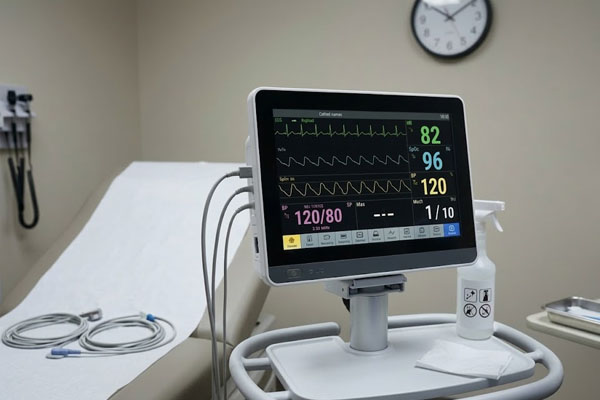
An eDP (Embedded Display Port) Touchscreen is a sophisticated display module that utilizes a high-speed digital interface to transmit video data while providing an integrated, interactive touch surface. In the competitive world of hardware design, you often struggle with bulky internal wiring and limited signal bandwidth that stifles your product’s performance. These limitations frequently lead to increased power consumption and electromagnetic interference, compromising the user experience of your premium devices. Fortunately, choosing this advanced display technology solves these structural challenges by consolidating data lanes and optimizing power efficiency for high-resolution panels.
What is an eDP (Embedded Display Port) Touchscreen?
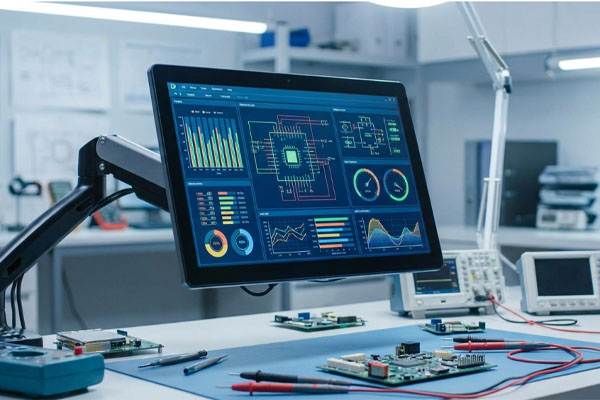
An eDP (Embedded Display Port) Touchscreen is an all-in-one visual interface that replaces older LVDS standards with a more efficient, high-bandwidth connection for both display and touch data. This technology leverages the VESA standard to allow for thinner panels and smaller connectors within your device’s chassis.
How does the communication protocol work?
The interface operates by sending packetized data across a few high-speed lanes, which significantly reduces the pin count compared to traditional methods. By using the same lanes for both timing and pixel data, the system achieves a much cleaner internal architecture.
Look at this:
- Reduced Pin Count: Fewer wires mean less weight and more space for batteries.
- High Resolution: Supports 4K and beyond with ease.
- Integrated Touch: Touch data can be routed via the same high-speed connection.
The best part? You no longer have to worry about the signal degradation common in wide, parallel ribbon cables used in legacy systems.
What are the main components involved?
The module consists of a liquid crystal display, a capacitive touch sensor, and a specialized controller board that translates eDP signals. These components are typically bonded together to form a single, robust unit that is ready for immediate integration into your hardware.
Key Takeaway: Adopting this technology allows you to design sleeker, more reliable devices by simplifying internal connectivity.
| Component | Function |
|---|---|
| eDP Controller | Manages high-speed data packets and clocking |
| Touch Sensor | Detects user input with high precision |
| Driver IC | Converts digital signals into visual output |
The structural simplification provided by this interface is the foundation for modern ultra-thin hardware design.
Why use an eDP (Embedded Display Port) Touchscreen?
You should use an eDP (Embedded Display Port) Touchscreen because it offers superior data throughput and lower power consumption than any other internal display standard. This makes it the ideal choice for portable professional equipment where every milliwatt and millimeter counts.
Is it better for professional equipment?
Professional-grade devices require a level of visual fidelity and input responsiveness that traditional interfaces simply cannot provide. Because eDP supports higher refresh rates and deeper color bit-depths, your users will experience smoother transitions and more accurate color reproduction.
Here is the deal:
- Medical Accuracy: Clearer images for diagnostic software.
- Industrial Control: No lag during critical machine operations.
- Long-Term Reliability: Simplified wiring reduces potential points of failure.
Think about it: when your equipment performs without delay, your professional reputation stays intact.
How does it affect system thermal design?
Lower voltage swings in the eDP signaling process result in less heat generation within the display controller and the interconnecting cables. This thermal efficiency is a major advantage for fanless designs or sealed industrial units that operate in high-temperature environments.
Key Takeaway: Enhanced signal efficiency directly contributes to a cooler, more stable operating environment for your device’s internal components.
| Benefit | Impact on Design |
|---|---|
| Low Power | Extended battery life for mobile terminals |
| High Bandwidth | Seamless support for UHD and HDR content |
| Scalability | One interface for multiple screen sizes |
Optimizing the thermal footprint of your display allows for more creative freedom in your product’s industrial design.
What is eDP (Embedded Display Port) Touchscreen speed?
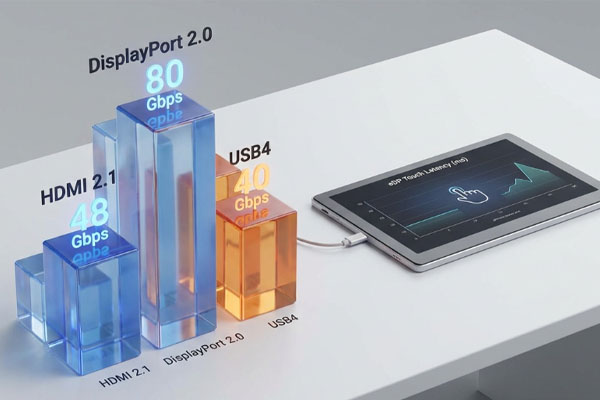
The speed of an eDP (Embedded Display Port) Touchscreen is measured by its link rate, which can reach up to 8.1 Gbps per lane in current high-end versions. This massive bandwidth allows the display to handle massive amounts of pixel data without the screen flickering or ghosting.
How many lanes are typically used?
Most standard display configurations utilize between one and four lanes depending on the target resolution and refresh rate. High-performance workstations or gaming laptops often utilize the full four-lane capacity to ensure zero-lag performance at high frame rates.
But wait, there’s more:
- Lane 1: Suitable for standard HD displays.
- Lane 2: Ideal for FHD and mid-range tablets.
- Lane 4: Required for professional 4K monitors.
Look at this: the speed is not just about resolution; it also affects the responsiveness of the touch layer, ensuring your gestures are translated instantly.
Does interface speed affect touch latency?
While the video data uses the main link, the aux channel or integrated touch lanes benefit from the overall interface architecture. This high-speed environment ensures that there is virtually no delay between a finger touch and the visual response on the screen.
Key Takeaway: High-speed data lanes ensure a fluid user experience that feels natural and instantaneous.
| Interface Type | Max Throughput per Lane |
|---|---|
| eDP 1.2 | 5.4 Gbps |
| eDP 1.4 | 8.1 Gbps |
| Legacy LVDS | ~1.0 Gbps |
High throughput is the silent engine that drives the high-fidelity user experiences of today’s leading gadgets.
Can I customize an eDP (Embedded Display Port) Touchscreen?
Yes, you can customize an eDP (Embedded Display Port) Touchscreen to meet specific environmental requirements, such as adding specialized glass coatings or adjusting the controller’s firmware. This flexibility ensures that the display fits your unique chassis design and functional needs perfectly.
What physical aspects can be changed?
The external cover glass is the most common area for customization, where you can choose specific thicknesses or chemical strengthening levels. You can also specify the shape of the mounting brackets or the length of the flexible printed circuit (FPC) cables to match your internal layout.
Think about it:
- Anti-Glare: Essential for outdoor visibility.
- Privacy Filters: Critical for banking or medical devices.
- Custom Logos: Enhance your brand identity directly on the glass.
The best part? You can choose between different types of optical bonding to maximize the display’s contrast and impact resistance.
Is the firmware adjustable for touch?
The touch controller’s firmware can be tuned to support specific use cases, such as operating while wearing thick gloves or in wet conditions. This level of customization ensures that the user interface remains reliable even in non-ideal environmental settings.
Key Takeaway: Customization allows you to tailor the hardware to perform flawlessly in your specific target environment.
| Customization Type | Practical Application |
|---|---|
| AG/AR Coating | Improved visibility in bright sunlight |
| Glove Mode | Industrial and surgical environments |
| Custom FPC | Optimized internal component routing |
Bespoke display solutions bridge the gap between standard technology and specialized industrial requirements.
Where is an eDP (Embedded Display Port) Touchscreen used?
An eDP (Embedded Display Port) Touchscreen is predominantly used in high-end laptops, medical imaging systems, and ruggedized industrial control panels. These industries require the high resolution and low electromagnetic footprint that only the eDP standard can provide.
Why is it popular in medical fields?
Medical professionals rely on extremely high-resolution displays for reading X-rays and monitoring patient vitals with surgical precision. The low-EMI nature of the eDP interface ensures that the display does not interfere with other sensitive hospital equipment.
Look at this:
- Diagnostic Displays: High-contrast images for better analysis.
- Operating Room Monitors: Sealed units that withstand heavy cleaning.
- Patient Terminals: Low-power consumption for mobile medical carts.
Here is the deal: in a clinical setting, clarity and reliability are not just features; they are life-saving necessities.
Is it suitable for outdoor kiosks?
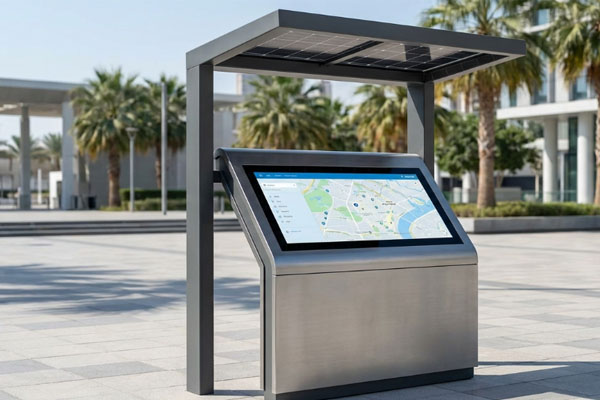
Outdoor kiosks benefit from the high-bandwidth capabilities of eDP, which allows for extremely bright panels that remain visible under direct sunlight. When combined with ruggedized touch sensors, these displays become durable public interfaces capable of 24/7 operation.
Key Takeaway: Versatility across demanding sectors proves the robustness and adaptability of this interface technology.
| Industry | Primary Use Case |
|---|---|
| Aerospace | High-reliability cockpit flight displays |
| Automotive | Seamless dashboard and navigation screens |
| Retail | Interactive point-of-sale kiosks |
Selecting a display based on industrial-grade standards ensures your product remains functional in any global market.
How to use an eDP (Embedded Display Port) Touchscreen?
To use an eDP (Embedded Display Port) Touchscreen, you must connect it to a motherboard or a graphics controller that specifically supports the Embedded DisplayPort protocol. It is essential to ensure that the power sequence and signal timings are correctly configured in your system BIOS or firmware.
What are the connection requirements?
The physical connection is typically made using a fine-pitch 30-pin or 40-pin connector that carries power, backlight control, and high-speed data lanes. You must ensure the cable is properly shielded and seated to prevent signal noise or intermittent connection issues.
Look at this:
- Power Sequencing: VDD must be stable before the data lanes activate.
- Backlight Control: Often handled through the aux channel or PWM.
- Hot-Plug Detection: Crucial for the GPU to recognize the display.
Think about it: following the official VESA power-on sequence prevents permanent hardware damage during the initial boot phase.
Is an adapter board necessary?
If your host system only provides standard DisplayPort or HDMI outputs, you will need an active bridge board to convert those signals into the internal eDP format. These boards also handle the specific voltage requirements for the display’s integrated backlight.
Key Takeaway: Proper integration requires careful attention to signal protocols and power management to ensure hardware longevity.
| Step | Action Required |
|---|---|
| Initialization | Verify GPU supports eDP 1.2 or higher |
| Mounting | Secure the panel without stressing the glass |
| Calibration | Run touch-sensitivity software for accuracy |
Mastering the integration process is the key to unlocking the full performance potential of your display.
Is an eDP (Embedded Display Port) Touchscreen durable?
An eDP (Embedded Display Port) Touchscreen is exceptionally durable when constructed with chemically strengthened glass and advanced optical bonding. These units are specifically engineered to withstand mechanical shocks, vibrations, and broad temperature fluctuations commonly found in automotive and industrial environments.
How does bonding affect durability?
Optical bonding fills the air gap between the touch sensor and the display panel with a specialized resin, which significantly increases the structural integrity of the module. This process also prevents moisture and dust from entering the internal assembly.
But wait, there’s more:
- Impact Resistance: Bonded displays are much harder to crack.
- Vibration Damping: Critical for vehicles and heavy machinery.
- Condensation Prevention: Eliminates fogging in humid climates.
The best part? The lack of an air gap also means there is one less surface for light to reflect off of, improving visibility.
What is the typical operating temperature?
Industrial-grade modules are designed to operate from -20°C to +70°C, ensuring consistent performance in both frozen storage facilities and hot desert environments. The internal eDP signaling is inherently more stable under these thermal stresses than older analog or low-speed digital connections.
Key Takeaway: Robust physical construction paired with a stable digital interface makes these displays perfect for harsh conditions.
| Feature | Durability Rating |
|---|---|
| Surface Hardness | Mohs 6H – 9H |
| Operating Humidity | Up to 90% Non-condensing |
| Vibration Proof | MIL-STD-810G compliant (some models) |
Investing in durable interface technology reduces your long-term maintenance costs and improves user satisfaction.
How to test an eDP (Embedded Display Port) Touchscreen?
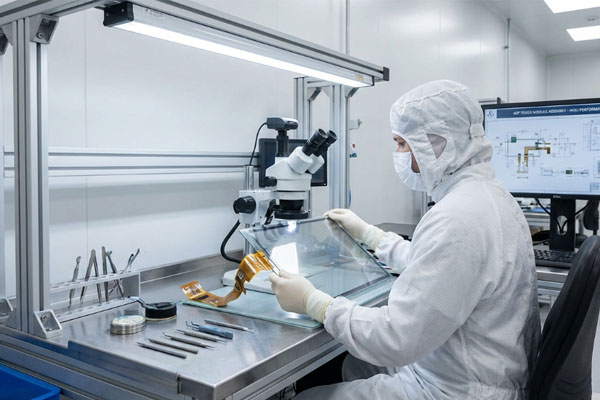
You test an eDP (Embedded Display Port) Touchscreen by conducting a series of signal integrity checks and touch sensitivity calibrations using specialized diagnostic hardware. This process ensures that the high-speed data lanes are functioning without bit errors and that the touch responses are accurate across the entire surface.
What does functional testing involve?
Functional testing focuses on the electrical performance of the eDP link, checking for jitter and signal attenuation across the FPC cable. Automated software tools are then used to simulate thousands of touch points to verify that there are no “dead zones” on the panel.
Here is the deal:
- Eye Diagram Test: Verifies signal quality at high frequencies.
- Multi-touch Check: Ensures the sensor can track 10 fingers simultaneously.
- Backlight Stress: Confirms uniform brightness across the entire panel.
Think about it: 100% factory testing is the only way to guarantee that every unit you receive is ready for mass production.
How are environmental stresses tested?
Modules are often placed in climate chambers to undergo thermal cycling and humidity testing while operating. This ensures that the lamination and bonding do not fail when the display is subjected to real-world environmental extremes.
Key Takeaway: Comprehensive testing protocols eliminate the risk of field failures and ensure consistent batch quality.
| Test Type | Objective |
|---|---|
| Signal Integrity | Zero bit errors on the high-speed data link |
| Sensitivity Analysis | Consistent touch response at 1mm accuracy |
| Aging Test | Long-term reliability under continuous power |
Rigorous validation is the cornerstone of professional hardware manufacturing and quality assurance.
Does an eDP (Embedded Display Port) Touchscreen save power?
Yes, an eDP (Embedded Display Port) Touchscreen significantly saves power by utilizing advanced features like Panel Self-Refresh (PSR) and lower signaling voltages. These technologies allow the system to enter low-power states when the screen content is static, drastically extending battery life.
What is Panel Self-Refresh?
Panel Self-Refresh allows the display module to store a frame in its own local memory, enabling the GPU to power down when the image on the screen hasn’t changed. This feature alone can reduce the overall system power draw by several watts during typical office tasks or reading.
Look at this:
- Low Voltage Swing: Less energy spent moving data.
- Dynamic Refresh Rates: Slows down the screen when high speed isn’t needed.
- Efficient Backlighting: Integrated control optimizes LED power.
The best part? These power savings happen automatically without any noticeable change in the user experience.
How does this affect portable devices?
For tablets and portable medical monitors, these efficiency gains translate directly into extra hours of operating time. This reduces the frequency of battery swaps and allows for smaller, lighter power cells in the final product design.
Key Takeaway: Modern interface features allow you to build energy-conscious products without sacrificing high-end performance.
| Power Feature | Estimated Energy Saving |
|---|---|
| Panel Self-Refresh | Up to 25% of display power |
| Signal Optimization | Up to 15% reduction in link power |
| Adaptive Sync | Variable savings based on content |
Efficiency is no longer an optional feature; it is a fundamental requirement for modern mobile professional equipment.
How to pick an eDP (Embedded Display Port) Touchscreen?
When picking an eDP (Embedded Display Port) Touchscreen, you must first determine the maximum resolution your graphics processor can support and match it to the lane count of the display. It is also vital to verify that the physical dimensions and mounting holes are compatible with your device’s industrial design.
What specifications matter most?
Beyond the interface, you should focus on the brightness (measured in nits) and the contrast ratio to ensure the display meets your visual requirements. If your device will be used in public spaces, prioritize models with high-strength cover glass and anti-fingerprint coatings.
Think about it:
- Brightness: 300 nits for indoor, 1000+ for outdoor.
- Touch Type: PCAP is usually preferred for its sleek glass look.
- Pin Count: Ensure your motherboard matches the 30 or 40-pin layout.
Look at this: checking the long-term availability of the component is just as important as the technical specs to avoid redesigns.
Should you buy from a direct manufacturer?
Buying directly from a factory ensures you get consistent quality and direct engineering support for your integration challenges. Direct manufacturers can also lock in the Bill of Materials (BOM) to ensure that every shipment you receive is identical to your approved sample.
Key Takeaway: Informed selection based on technical compatibility and supplier reliability ensures a smooth project lifecycle.
| Selection Criteria | Importance |
|---|---|
| Bandwidth Match | Critical for resolution support |
| Mechanical Fit | Essential for assembly |
| Supplier Support | Vital for troubleshooting |
The right choice in display technology forms the interface through which your customers will judge your entire product.
Implementing the right high-speed display technology is the most effective way to elevate your hardware’s performance and aesthetic appeal. By moving away from legacy interfaces and embracing the high-bandwidth, energy-efficient world of eDP, you solve the dual challenges of data bottlenecks and power constraints. Whether you are building medical diagnostics, industrial controllers, or premium consumer electronics, the path to a better user experience begins with a high-quality display. If you are ready to upgrade your next project with a factory-direct solution, contact us today for a technical consultation and quote. We are committed to delivering the consistent quality and engineering precision your mission-critical interfaces demand. Our vision is to empower global innovators with the most reliable touch technology, ensuring every interaction is seamless, clear, and durable.
Frequently Asked Questions
Can I use an eDP (Embedded Display Port) Touchscreen with a regular HDMI port?No, you cannot connect them directly because the signal protocols and physical connectors are entirely different. You would need a specialized active adapter or bridge board to convert the HDMI signal into the eDP format and provide power to the backlight.
What’s the best way to prevent electrical noise on the eDP signals?The best way is to use a high-quality, shielded FPC cable and ensure that the ground planes of the display and the motherboard are properly connected. Minimizing the cable length and avoiding proximity to high-power components also significantly reduces interference.
How do I know if my motherboard supports an eDP (Embedded Display Port) Touchscreen?You can check your motherboard’s technical manual or the specifications of the onboard GPU. Most modern processors from major manufacturers have native eDP support, but you must verify that the physical connector on the board matches the display’s pinout.
Are eDP (Embedded Display Port) Touchscreens compatible with macOS or Linux?Yes, they are generally compatible as the eDP standard is widely supported by all major operating systems. The touch functionality is usually handled via an internal USB or I2C connection, which is also well-supported by standard drivers in those environments.
How do I clean an eDP (Embedded Display Port) Touchscreen safely?The best approach is to use a soft, lint-free microfiber cloth slightly dampened with a 70% isopropyl alcohol solution. Avoid spraying liquids directly onto the screen to prevent moisture from seeping into the edges where the electronics are located.