
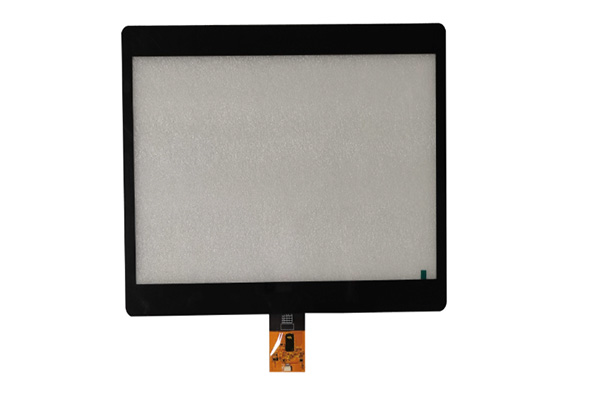
Selecting the ideal interactive display involves balancing industrial durability, optical clarity, and responsive touch technology to meet your specific retail or industrial needs. You likely face the challenge of limited showroom space and clunky interfaces that drive potential customers away. This loss of physical engagement damages your digital reputation and leads to lost sales opportunities. By implementing a high-performance E-commerce Navigation Touchscreen from a specialized manufacturer, you provide the seamless, interactive bridge required to unify your physical and digital storefronts.
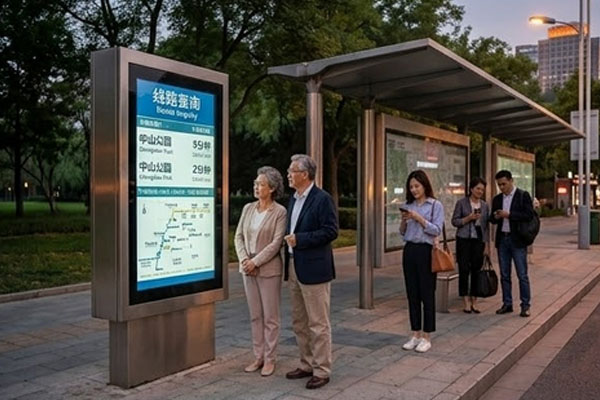
What is an E-commerce Navigation Touchscreen?
An E-commerce Navigation Touchscreen is a specialized interactive display designed to help customers browse digital product catalogs within a physical retail or industrial environment. This technology serves as an “endless aisle” solution, allowing users to search for items, view specifications, and even place orders directly on the floor. It typically integrates high-resolution panels with robust touch sensors to handle high-frequency public use.
Defining the Core Hardware
You will find that these devices are more than just large tablets; they are purpose-built industrial machines.
- Display Panel: High-brightness LCD or OLED for clear visibility.
- Touch Sensor: Typically capacitive glass for multi-touch support.
- Enclosure: Metal or reinforced plastic frames for public safety. Think about it: If the hardware isn’t specialized, your customer experience will suffer immediately.
Interface and Software Roles
You need software that translates complex web data into a simple, touch-friendly navigation map.
- Visual Mapping: Guided paths through product categories.
- Search Functions: Virtual keyboards for quick item lookups.
- Checkout Integration: Linking physical browsing to digital carts. The truth is: A screen is only as good as the software it runs to guide the user. Key Takeaway: Understanding that these are integrated systems of rugged hardware and tailored software is the first step to a successful deployment.
| Component | Standard Specification | Purpose |
|---|---|---|
| Touch Panel | PCAP 10-point | Smooth gesture support |
| Brightness | 450+ Nits | Legibility in lit stores |
| Response | < 10ms | Intuitive user feedback |
Hardware specifications must align with the complexity of your digital catalog to prevent input lag.
Why use an E-commerce Navigation Touchscreen?
Using an E-commerce Navigation Touchscreen solves the problem of limited shelf space by providing a portal to your entire online inventory. It enhances the customer journey by offering autonomy, allowing shoppers to research products without needing a salesperson’s constant presence. This digital bridge increases engagement times and provides valuable data on consumer search patterns.
Solving Inventory Limitations
You can show your customers every color, size, and model you own without cluttering your physical floor.
- Endless Aisle: Access to out-of-stock or online-only items.
- Product Depth: Detailed videos and spec sheets at the touch of a finger.
- Cross-Selling: Automatic recommendations for complementary products. Consider this: Why lose a sale just because a specific SKU isn’t sitting on a shelf?
Modernizing the Brand Image
You will notice that high-tech touch interfaces immediately signal to customers that your business is a modern industry leader.
- Aesthetic Appeal: Sleek, zero-bezel designs that enhance store decor.
- Self-Service Speed: Faster lookup times than waiting for floor staff.
- Interactive Marketing: Displaying ads or promos during idle times. Believe it or not: First impressions are often formed at the first point of digital contact. Key Takeaway: Digital navigation tools transform physical limitations into a competitive advantage by expanding your visible stock and modernizing service.
| Benefit | Impact | ROI Driver |
|---|---|---|
| Inventory | Infinite SKU display | Reduced lost sales |
| Staffing | Lower pressure on reps | Efficiency gains |
| Engagement | Longer store visits | Brand loyalty |
Integrating digital catalogs on the floor directly correlates with higher customer satisfaction and basket size.
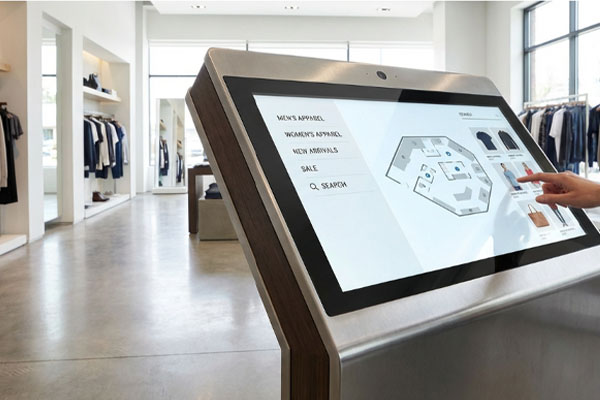
How to pick an E-commerce Navigation Touchscreen?
Picking the right unit requires a careful evaluation of the lighting, usage frequency, and the level of detail in your product images. You should start by determining if your environment is a bright showroom or a dimly lit warehouse to select the appropriate brightness levels. A screen that is too dim will be ignored, while one that is poorly protected will break within weeks.
Selecting Touch Technology
You must decide between capacitive and resistive sensors based on how your customers will interact with the device.
- Capacitive: Best for retail; supports pinching and swiping like a smartphone.
- Resistive: Best for industrial sites where users might wear thick work gloves.
- Durability: Look for 7H hardness ratings to prevent surface scratches. The bottom line: Choosing the wrong touch tech is the fastest way to frustrate a user.
Visual and Optical Specs
You want your product photos to pop, so high resolution and color accuracy are non-negotiable.
- Resolution: 1080p is the minimum; 4K is better for screens over 32 inches.
- Optical Bonding: Removes air gaps to reduce glare and improve clarity.
- Viewing Angles: IPS panels ensure the screen is readable from the side. Look at it this way: If they can’t see the texture of the product, they won’t buy it. Key Takeaway: Balance responsiveness with visual fidelity to create a kiosk that feels as premium as the products it displays.
| Selection Criteria | Best Choice | Use Case |
|---|---|---|
| Brightness | 500+ Nits | High-light showrooms |
| Coating | Anti-Glare (AG) | Fluorescent lighting |
| Glass | Tempered | High-traffic public areas |
Prioritizing optical bonding significantly improves readability and touch accuracy in various lighting conditions.
Who needs an E-commerce Navigation Touchscreen?
An E-commerce Navigation Touchscreen is essential for any business operating a physical space with a diverse or complex product range. Retailers with large inventories, industrial suppliers with technical catalogs, and healthcare facilities providing medical supplies all benefit from this interactive tech. It serves as a 24/7 digital assistant that never gets tired and always has the latest stock data.
High-End Retailers
You will find that luxury stores use these to provide a “concierge” digital experience for VIP customers.
- Fashion Houses: Browsing the full seasonal collection.
- Auto Showrooms: Configuring car options on a life-size screen.
- Jewelry Shops: Viewing high-res close-ups of diamonds and metals. The fact is: High-end shoppers expect high-end digital tools to guide their high-value purchases.
Industrial and Medical B2B
You can use these in warehouses or clinics to manage complex ordering without bulky paper catalogs.
- Warehouse Parts: Searching through thousands of specific nuts, bolts, or components.
- Medical Clinics: Navigating equipment options for patients and doctors.
- Trade Shows: Providing a lead-capture and browsing station for booth visitors. Here is the kicker: A single touchscreen can replace a 500-page printed catalog that goes out of date weekly. Key Takeaway: Whether you sell luxury goods or industrial parts, digital navigation empowers your users to find what they need faster.
| Sector | Primary Need | Key Feature |
|---|---|---|
| Retail | Aesthetic Engagement | PCAP Multi-touch |
| Industrial | Catalog Search | Glove Compatibility |
| Medical | Hygiene/Ordering | Antimicrobial Glass |
Versatility across sectors proves that digital navigation is no longer a luxury but a fundamental operational tool.
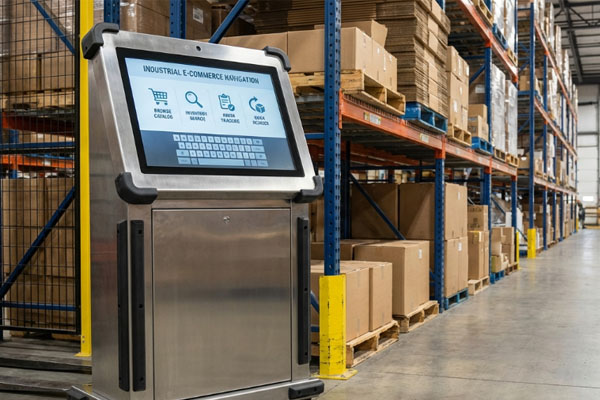
Can an E-commerce Navigation Touchscreen boost ROI?
Implementing an E-commerce Navigation Touchscreen directly boosts return on investment by recapturing sales that would otherwise be lost to out-of-stock items. It reduces the overhead costs associated with printing thousands of physical catalogs and brochures every year. Furthermore, it allows a smaller floor staff to handle more customers by automating the information-gathering phase of the sale.
Recapturing Lost Sales
You can stop losing customers who walk out because they don’t see the specific color they want on a rack.
- Online Integration: Order online-only stock right from the store floor.
- Email Vouchers: Send product info to the user’s phone for later purchase.
- Upselling: Showing “frequently bought together” items during the browsing session. Think about it: Every customer who leaves empty-handed is a missed ROI opportunity you can fix.
Operational Cost Savings
You will save significant money by digitizing your marketing materials and product guides.
- Zero Print Costs: Instantly update prices and descriptions across all locations.
- Reduced Staff Training: The kiosk provides consistent, accurate info every single time.
- Data Analytics: Collect search data to optimize your floor inventory based on real demand. It’s a win-win: Lowering costs while increasing sales creates a massive boost to your bottom line. Key Takeaway: ROI is driven by a combination of increased sales through “endless aisles” and reduced operational expenses through digital efficiency.
| ROI Driver | Impact Level | Metric to Track |
|---|---|---|
| Basket Size | High | Average Order Value |
| Efficiency | Medium | Staff hours per sale |
| Recapture | High | On-floor digital orders |
Data gathered from user interactions provides the insights needed to refine inventory and marketing strategies.
Is an E-commerce Navigation Touchscreen durable?
A high-quality E-commerce Navigation Touchscreen is designed to be far more durable than standard consumer tablets or monitors. These units feature chemically strengthened glass and metal housing to withstand the constant physical impact of public interaction. They are built for 24/7 operation, ensuring that the screen doesn’t “burn in” or fail under heavy industrial or retail workloads.
Industrial-Grade Construction
You need hardware that can handle being touched hundreds of times a day without failing.
- 7H Hardness: Resists scratches from rings, keys, and coins.
- IK10 Rating: Vandal-proof protection against direct physical impact.
- IP65 Sealing: Protects the internal electronics from dust and liquid cleaners. Believe it or not: A standard tablet would break in a week under the stress these units handle easily.
Longevity and Heat Management
You will find that these screens include internal cooling and high-grade capacitors for a longer lifespan.
- Thermal Design: Prevents “blackout” issues in warm environments.
- MTBF: Rated for tens of thousands of hours of continuous backlight use.
- Vibration Resistance: Secure mounting that handles the bumps of a busy mall or factory. Don’t settle: Durability is the difference between a one-time investment and a recurring maintenance headache. Key Takeaway: Choosing industrial-grade glass and seals ensures your navigation portal remains a permanent, functional part of your business.
| Durability Spec | Rating | Benefit |
|---|---|---|
| Glass Hardness | Mohs 7 | Scratch-free surface |
| Impact | IK08 – IK10 | Vandalism protection |
| Ingress | IP65 Front | Safe for chemical cleaning |
Ruggedized construction minimizes downtime and protects your capital investment from environmental and human damage.
Where to buy an E-commerce Navigation Touchscreen?
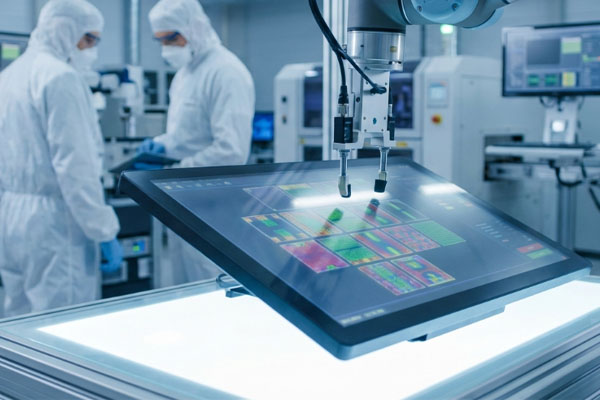
You should buy an E-commerce Navigation Touchscreen directly from a specialized manufacturer to ensure you receive technical support and factory-direct pricing. Working with a factory allows you to customize the glass thickness, surface coatings, and interface protocols to match your project’s unique needs. Avoid general retailers who cannot provide the engineering-level confirmation required for complex B2B integrations.
Finding a Factory Partner
You want to work with a supplier that controls the entire production process from BOM to assembly.
- Customization: Ordering specific sizes and logos printed on the glass.
- Quality Control: Multi-stage testing that ensures every unit is flawless.
- Engineering Support: Talking directly to technicians who understand your CAD drawings. The truth is: Middlemen add markups without adding the technical value you need for custom projects.
Evaluating Supplier Credentials
You should look for a history of exporting to major global markets to ensure compliance and shipping reliability.
- Certifications: Verifying CE, FCC, and RoHS compliance for your region.
- Export Experience: Expertise in safe international packaging and customs.
- Client History: A portfolio of successful installations in retail or industrial sectors. Consider this: A reliable supplier is a partner in your long-term success, not just a vendor. Key Takeaway: Purchasing direct from a manufacturer guarantees the best pricing, deeper customization, and professional engineering support for your installation.
| Buying Channel | Price | Support | Customization |
|---|---|---|---|
| Factory Direct | Lowest | High (Engineers) | Full |
| Retailer | High | Low (Sales) | None |
| Distributor | Medium | Medium | Limited |
Direct factory engagement eliminates communication gaps and ensures hardware meets your exact technical specifications.
What sizes fit an E-commerce Navigation Touchscreen?
Selecting the right size for your E-commerce Navigation Touchscreen depends on the distance of the user and the amount of information they need to view. Small 7-inch to 10-inch screens are perfect for shelf-level details, while 21-inch to 32-inch displays are ideal for full-service kiosks. Larger sizes up to 55 inches create an immersive “wow factor” that can be seen from across a large showroom.
Compact vs. Large Form Factors
You should choose a size that fits the ergonomics of your customer’s physical interaction.
- Small (7″-15″): Ideal for mounting directly on product racks for quick lookups.
- Medium (21″-32″): The “goldilocks” size for standing kiosks and interactive maps.
- Large (43″+): Best for high-impact visual displays and collaborative browsing. Think about it: A screen that is too small for a standing user will cause neck strain and quick bounces.
Aspect Ratios and Orientation
You can orient your screens in portrait or landscape modes depending on your digital catalog layout.
- Portrait: Mimics the feel of a giant smartphone; perfect for product lists.
- Landscape: Best for high-definition videos and side-by-side product comparisons.
- Custom Ratios: Specialized ultra-wide screens for architectural integration. The point is: Orientation is just as important as size when it comes to intuitive navigation. Key Takeaway: Match the screen size to the user’s viewing distance and the density of your digital content to ensure comfort and clarity.
| Screen Size | Interaction Distance | Recommended Use |
|---|---|---|
| 10.1 Inch | < 2 Feet | Shelf-edge assistant |
| 21.5 Inch | 2 – 3 Feet | Standard standing kiosk |
| 32.0 Inch | > 3 Feet | Information totem |
Choosing the correct dimensions ensures that the UI elements are easily reachable and readable for the target audience.
How to mount an E-commerce Navigation Touchscreen?
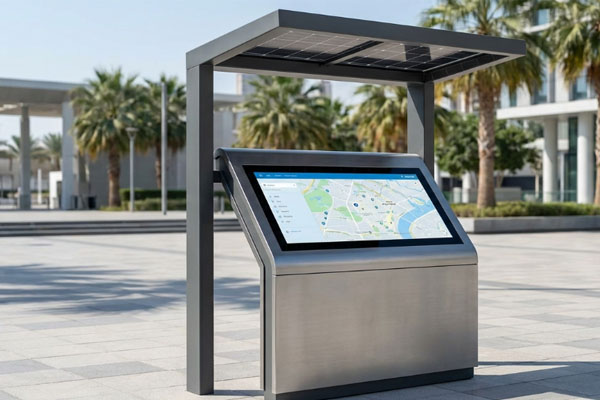
Properly mounting an E-commerce Navigation Touchscreen involves considering user ergonomics and local safety regulations for public spaces. You must ensure the mounting solution provides adequate ventilation to the internal computer to prevent overheating during long hours of use. A secure mount also prevents the screen from being stolen or damaged by accidental bumps in high-traffic areas.
Popular Mounting Styles
You can choose from several mounting configurations based on your floor plan and interior design.
- Wall Mount (VESA): Saves floor space; ideal for narrow aisles or entryways.
- Floor Totem: High visibility; can be placed anywhere in a large showroom.
- Countertop Stand: Perfect for service desks and point-of-sale areas. Look at it this way: The mount is the “stage” for your digital catalog; it must be solid and attractive.
Ergonomics and ADA Compliance
You must place the screen at a height that is comfortable for all users, including those in wheelchairs.
- Tilt Adjustment: Allows users to reduce glare and find the best viewing angle.
- Height Requirements: Ensuring touch targets are within reach for everyone.
- Cable Management: Hiding wires inside the mount for a clean and safe look. Don’t forget: An inaccessible kiosk is a wasted investment that excludes a portion of your audience. Key Takeaway: Use VESA-compliant mounts that prioritize both user accessibility and hardware security to create a professional and safe installation.
| Mount Type | Best Application | Space Profile |
|---|---|---|
| Floor Stand | Center of Store | 360-degree Access |
| Wall Mount | Hallways / Entrances | Zero Floor Footprint |
| Desk Mount | Concierge Desks | Low Profile |
Secure mounting combined with hidden cabling enhances the professional appearance while preventing tampering.
What runs an E-commerce Navigation Touchscreen?
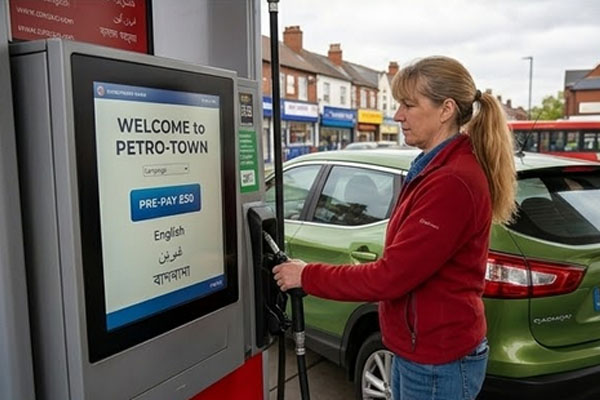
An E-commerce Navigation Touchscreen requires a powerful internal controller and a compatible computer to process touch inputs and render high-resolution graphics. You will typically find that these units use USB, I2C, or RS232 interfaces to communicate with a Windows, Android, or Linux operating system. The choice of controller determines the speed of response and the ability to handle multi-touch gestures.
The Role of the Touch Controller
You need a high-quality “brain” like an EETI or ILITEK chip to interpret your customer’s touches accurately.
- Report Rate: Higher rates mean zero lag when a user swipes through products.
- Noise Filtering: Prevents “ghost touches” caused by nearby lights or power supplies.
- Palm Rejection: Ignores accidental touches from a user leaning on the glass. Here is the reality: A cheap controller will make even the best screen feel slow and unresponsive.
Operating System and Software Integration
You must ensure your navigation software is optimized for the specific OS running on your internal PC.
- Android: Cost-effective for simple apps; easy to manage remotely.
- Windows: Best for complex 3D rendering and integration with legacy databases.
- Linux: Highly customizable for secure, dedicated kiosk environments. The bottom line: Your software and OS must work in perfect harmony with the touch hardware. Key Takeaway: Invest in high-end touch controllers and compatible OS platforms to ensure a seamless, high-speed browsing experience for your customers.
| Interface | Best For | Compatibility |
|---|---|---|
| USB (HID) | Most PCs / Kiosks | Plug-and-Play |
| I2C | Embedded ARM Boards | High Customization |
| RS232 | Industrial PLC | Legacy Stability |
Harmonizing the touch controller with the operating system is vital for achieving a latency-free user interface.
Conclusion
Implementing a robust digital portal is the most effective way to unify your online and offline sales channels. We have explored how these devices bridge the inventory gap, boost ROI, and withstand the rigors of high-traffic environments through industrial-grade durability. By selecting the right size, technology, and mounting style, you create a seamless “endless aisle” that empowers your customers and modernizes your brand. As the future of retail shifts toward hybrid physical-digital spaces, having reliable touch interfaces will become a core requirement for success. To start your journey toward a more interactive and profitable showroom, contact us for a custom engineering consultation and factory-direct pricing.
Frequently Asked Questions
Can I use a standard home tablet as an E-commerce Navigation Touchscreen?No, home tablets lack the industrial-grade glass, high-brightness panels, and 24/7 cooling systems required for public use. They will likely overheat, scratch, or fail under commercial workloads within a few weeks.
What’s the best screen size for a standing retail kiosk?Usually, a 21.5-inch to 32-inch screen is the best choice because it provides enough surface area for detailed product catalogs while remaining at a comfortable height for standing adults.
How do I know if I need capacitive or resistive touch technology?Judgment dictates that you should choose capacitive for standard retail browsing to support smartphone-like gestures, while resistive is only necessary if your users will be wearing thick, non-conductive gloves.
Can I update my product catalog remotely on these screens?Yes, if you use a cloud-based content management system (CMS), you can push updates to all your touchscreens across different locations simultaneously over a network connection.
How do I know if my screen is bright enough for a window display?High-light environments require specialized panels; if your screen is facing direct sunlight, you should look for industrial units with at least 1,500 to 2,500 nits of brightness to remain legible.