
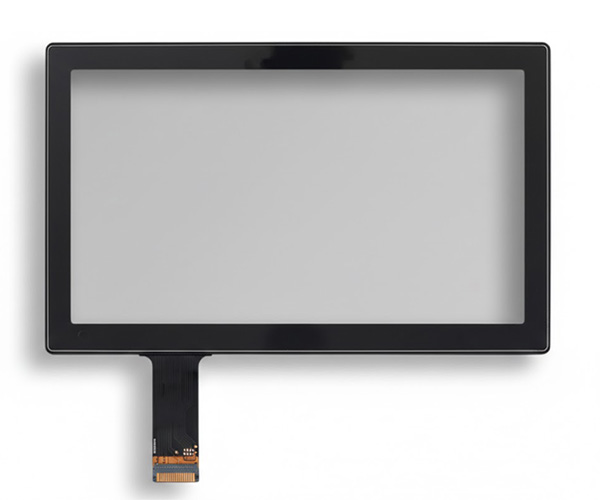
Selecting a high-quality Touchscreen with I/O Points requires balancing integration complexity with hardware durability to ensure your machine control systems remain operational for decades. Imagine you are on the floor of a major manufacturing plant and a critical interface fails because the connector pins couldn’t handle the vibration. This downtime costs you thousands every hour, leading to frustrated clients and missed deadlines. By sourcing a high-stability integrated interface, you eliminate these bottlenecks and secure your supply chain with a reliable factory-direct partner.
Why invest in a Touchscreen with I/O Points today?
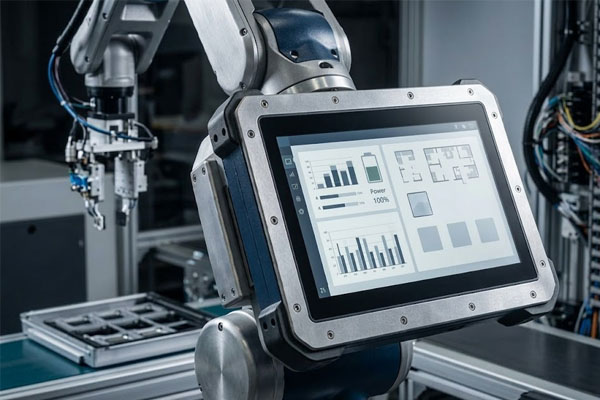
Investing in a Touchscreen with I/O Points allows you to consolidate your hardware footprint by combining the human-machine interface with direct sensor and actuator connectivity. This integration simplifies the overall system architecture, reducing the number of failure points between the operator and the machinery. You will find that high-quality units provide more than just a display; they serve as a localized hub for real-time data processing.
The shift toward integrated I/O is driven by the need for more responsive control loops and reduced electromagnetic interference. When the screen and the input/output modules share a common chassis, signal degradation is minimized significantly. This is particularly crucial for your operations where precision and timing are non-negotiable.
Does it simplify your wiring?
Reducing wire clutter is a primary benefit for any equipment manufacturer looking to streamline assembly. By having the I/O points directly on the back of the touchscreen, you eliminate the need for long cable runs to a separate PLC or remote I/O rack. This not only saves money on high-grade copper but also reduces the time your technicians spend on labeling and troubleshooting.
Here is the deal:
- Fewer terminal blocks in the cabinet.
- Reduced risk of loose connections during shipping.
- Faster field replacements for end-users.
- Cleaner aesthetics for premium equipment.
You can finally stop worrying about complex wire harnesses and focus on system performance.
Can it improve system reliability?
Stability is the cornerstone of industrial engineering, and integrated units are designed with this in mind. Because these devices are built as a single unit, the internal communication between the touch controller and the I/O processor is optimized at the hardware level. This eliminates the latency often associated with external serial or Ethernet-based I/O modules.
But wait, there is more:
- Redundant power inputs for critical applications.
- Optical isolation to protect sensitive electronics.
- Hardened PCB coatings to prevent corrosion.
- Industrial-grade capacitors that resist heat.
Key Takeaway: Choosing an integrated solution reduces the mean time between failures by eliminating external communication cables and connectors that often fail in high-vibration environments.
| Feature | Benefit | David’s Priority |
|---|---|---|
| Integrated I/O | Reduced Footprint | High |
| Optical Isolation | Component Safety | Medium |
| Direct Sensor Input | Low Latency | High |
This structural integration forms the foundation for a more resilient and manageable control architecture.
How does a Touchscreen with I/O Points reduce costs?
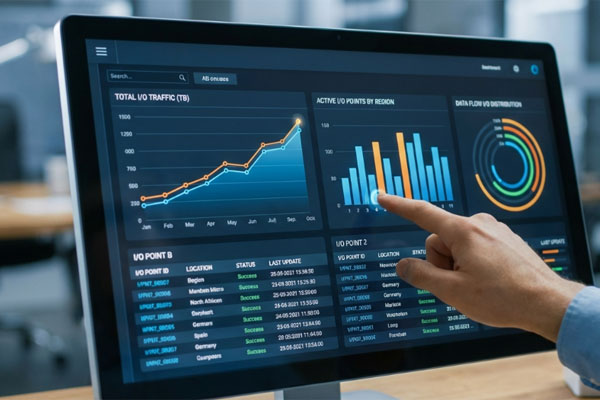
A Touchscreen with I/O Points reduces your total cost of ownership by lowering initial hardware procurement costs and long-term maintenance expenses. Instead of purchasing a separate HMI, a PLC, and various I/O cards, you can source a single industrial-grade unit that performs all three functions. This reduction in the Bill of Materials (BOM) translates directly to better margins for your equipment sales.
Furthermore, the engineering time saved during the design and programming phases is substantial. Since you are working within a unified hardware environment, you spend less time configuring communication protocols between different brands. This allows your team to get products to market faster, providing a significant competitive advantage.
Are there hidden savings in shipping?
Consolidating components into one chassis significantly reduces the weight and volume of your replacement parts inventory. Shipping a single integrated unit is much cheaper and easier to manage than shipping three or four separate modules across the globe. For a manufacturer prioritizing quality, the reduced logistics risk means fewer chances for components to be lost or damaged in transit.
Here is the deal:
- Smaller packaging requirements.
- Lower international freight insurance costs.
- Simplified customs documentation for exports.
- Reduced warehouse storage footprint.
You will see the impact on your bottom line almost immediately upon switching to a consolidated procurement model.
Does it lower maintenance labor?
Maintenance is often the most expensive part of a machine’s lifecycle, especially if it requires a specialist to fly to a customer site. Integrated touchscreens are designed for “swap-out” simplicity, allowing even semi-skilled technicians to replace a faulty module. Since the I/O is built-in, there is no confusion about which wires go to which external card.
The facts are clear:
- Diagnosis is centralized on the screen.
- Single-point calibration for the entire system.
- Firmware updates cover both HMI and I/O.
- Reduced training time for field staff.
Key Takeaway: Total cost of ownership is minimized through lower BOM costs, reduced shipping logistics, and simplified field maintenance protocols.
| Cost Driver | Integrated Solution | Separate Components |
|---|---|---|
| Initial Hardware | $1,200 (Single unit) | $1,800 (Multiple units) |
| Installation Time | 2 Hours | 8 Hours |
| Shipping Weight | 5 lbs | 12 lbs |
Analyzing these metrics reveals that the integrated approach is the most financially sound decision for long-term projects.
Is a Touchscreen with I/O Points safe for medical use?
A Touchscreen with I/O Points is highly effective in medical environments when it features chemical-resistant glass and medical-grade certifications. In clinical settings, the ability to connect sensors for patient monitoring directly to the display is vital for real-time accuracy. You need a device that can withstand constant disinfection without the touch sensitivity degrading over time.
The integration of I/O points also means that the medical device can remain compact and portable. This is essential for bedside monitors or portable diagnostic equipment where space is at a premium. Reliability in these situations isn’t just a business metric; it is a matter of patient safety and clinical efficiency.
Can it withstand harsh cleaners?
Medical environments require daily cleaning with aggressive agents like isopropyl alcohol or bleach solutions. A standard consumer-grade screen would cloud or peel within weeks under such conditions. Medical-grade touchscreens utilize chemically strengthened cover glass that maintains its clarity and responsiveness even after thousands of wipe-downs.
Here is the deal:
- Antimicrobial surface treatments available.
- Sealed bezel designs to prevent liquid ingress.
- Scratch-resistant glass (Mohs 7+).
- UV-resistant materials for sterilization rooms.
You can rest easy knowing your interface won’t fail during a critical medical procedure.
Is the touch accuracy sufficient?
In medical applications, a “ghost touch” or a missed input could have serious consequences. These integrated units use advanced controllers that filter out electromagnetic noise from nearby equipment like MRI machines. This ensures that the I/O signals and the touch inputs remain precise and reliable regardless of the hospital environment.
But wait, there is more:
- Support for gloved operation (latex and nitrile).
- High-resolution multi-touch for zoom/rotate.
- Fast response times (<10ms).
- Stable calibration that doesn’t drift.
Key Takeaway: Medical-grade integrated screens provide the safety and durability required for life-critical applications while simplifying the connection to patient monitoring sensors.
| Requirement | Solution | Verification |
|---|---|---|
| Disinfection | Chemically Strengthened Glass | 10k wipe test |
| Accuracy | EMI Filtering | Clinical trial data |
| Compliance | Medical Certification | ISO 13485 |
These specialized features ensure that the technology supports the healthcare provider rather than hindering them.
Will a Touchscreen with I/O Points survive heavy dust?
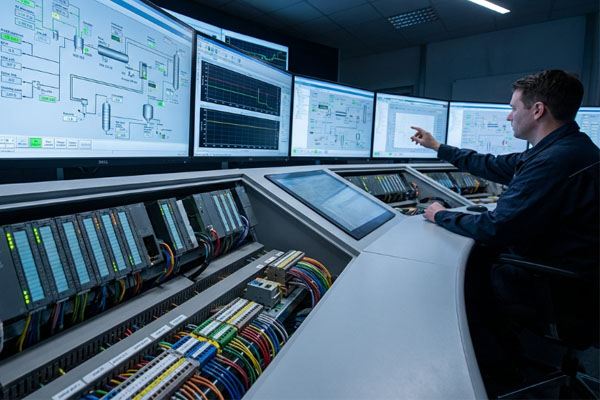
A Touchscreen with I/O Points designed for industrial use typically carries an IP65 or higher rating to ensure survival in dust-heavy environments. If you operate in woodworking, milling, or cement manufacturing, you know that fine particulate matter is the enemy of electronics. These units are built with specialized gaskets and fanless cooling systems to keep the interior components clean and cool.
The I/O ports themselves are often protected by rubber caps or industrial-grade threaded connectors. This ensures that the connection between your sensors and the screen remains conductive even in the grittiest conditions. You don’t have to worry about dust-induced short circuits or signal interference when the hardware is properly ruggedized.
Does it use a fanless design?
Fans are a common failure point because they pull dust and moisture directly into the heart of the device. High-quality integrated touchscreens utilize heat-dissipating aluminum chassis that pull heat away from the processor without the need for moving parts. This completely sealed environment is what allows the device to function for years in a dusty cabinet without overheating.
Here is the deal:
- Zero moving parts to wear out.
- Silent operation in quiet environments.
- Passive cooling through the metal frame.
- Extended lifespan of internal capacitors.
This design philosophy is what separates a true industrial tool from a cheap consumer alternative.
Are the connectors dust-proof?
Standard USB or RJ45 ports are prone to collecting dust, which leads to intermittent connections. Professional-grade units use M12 or other circular connectors that screw into place, creating a hermetic seal against the environment. This is especially important for the I/O points that carry critical signals from your machinery.
You should look for:
- Screw-down terminal blocks for I/O.
- IP-rated port covers for unused slots.
- Gasketed cable entries.
- O-ring seals on all mounting points.
Key Takeaway: A fanless, sealed design with industrial connectors ensures that dust and debris never reach the sensitive internal electronics or I/O pathways.
| Environmental Factor | Protective Feature | Effectiveness |
|---|---|---|
| Fine Dust | Gasketed IP65 Seal | 100% |
| High Heat | Aluminum Heat Sink | Excellent |
| Vibration | Locked Connectors | High |
Maintaining a clean internal environment is the best way to guarantee long-term stability in the field.
Why choose a Touchscreen with I/O Points for vehicles?
Choosing a Touchscreen with I/O Points for vehicle applications ensures that the interface can handle extreme temperature fluctuations and constant mechanical shock. In the automotive or heavy machinery sector, the display must communicate directly with the vehicle’s CAN bus or specialized sensors via I/O points. This allows for a streamlined dashboard that provides both diagnostic information and operator control.
Vehicle-grade units are engineered with optical bonding to reduce glare and increase structural integrity. When a screen is optically bonded, there is no air gap between the glass and the LCD, which prevents condensation and makes the screen much more resistant to impact. This is a critical feature for David, who needs his equipment to work in both the freezing winter and the scorching summer.
Can it handle 24V power systems?
Most industrial vehicles run on 24V DC systems, which can be noisy and prone to voltage spikes. Integrated touchscreens designed for this sector include built-in power regulators and surge protection to handle the “dirty” power common in trucks and tractors. You won’t have to worry about the screen rebooting or failing when the vehicle’s engine starts or a heavy hydraulic pump kicks in.
Here is the deal:
- Wide input voltage range (9V-36V).
- Reverse polarity protection.
- Over-voltage shutdown.
- Ignition-aware power management.
Stable power leads to a stable interface, which keeps your operators focused on the task at hand.
Is sunlight readability a factor?
For operators in the field, a screen that washes out in the sun is useless. These high-performance units feature high-brightness backlights (often over 1000 nits) and anti-reflective coatings. This ensures that the data being fed through the I/O points is visible even in direct midday sun, which is essential for safety and productivity.
But wait, there is more:
- Automatic dimming sensors for night use.
- Wide viewing angles for side-mounting.
- Vibration-dampened mounting brackets.
- Impact-resistant cover glass (IK07/08).
Key Takeaway: Vehicle-grade integrated screens combine sunlight readability with rugged power management to provide a reliable interface for mobile industrial applications.
| Vehicle Condition | Engineering Solution | Result |
|---|---|---|
| Engine Vibration | Optical Bonding | No internal rattling |
| Direct Sunlight | 1000+ Nit Brightness | Perfect visibility |
| Voltage Spikes | Wide DC Input Range | Continuous operation |
Selecting hardware built for the road ensures your equipment performs regardless of the terrain.
Can a Touchscreen with I/O Points handle outdoor kiosks?
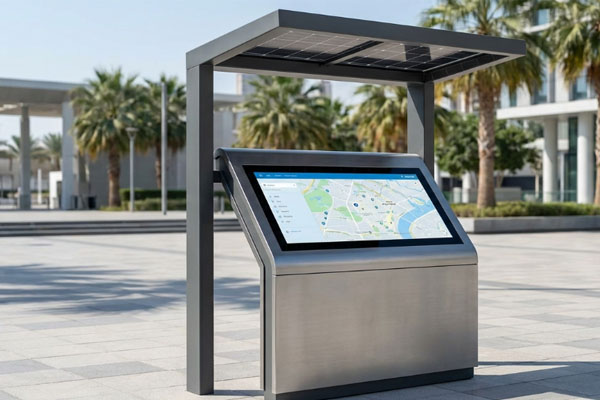
A Touchscreen with I/O Points is an excellent choice for outdoor kiosks because it can directly control peripheral devices like ticket printers, coin acceptors, or lighting. Outdoor environments are notoriously difficult due to rain, humidity, and wide-ranging temperature swings. An integrated unit reduces the complexity of the kiosk’s internal wiring, which is often a source of failure in humid conditions.
To succeed outdoors, the touchscreen must be fully laminated and feature an IP66 rating on the front panel. This prevents water from seeping into the display or the I/O circuits during heavy storms. For a professional buyer, ensuring the kiosk stays up 24/7 in all weather conditions is the key to maintaining customer trust and revenue.
How does it manage condensation?
In humid or coastal areas, temperature changes between day and night can cause moisture to form inside electronic enclosures. Optical bonding eliminates the air gap where moisture can condense, ensuring the screen never fogs up from the inside. This technology also improves the thermal management of the LCD panel by conducting heat away more efficiently through the front glass.
Here is the deal:
- No “internal fogging” ever.
- Better heat dissipation in summer.
- Improved contrast in bright light.
- Enhanced physical durability against vandals.
By eliminating the air gap, you eliminate one of the most common causes of outdoor display failure.
Can it control kiosk peripherals?
The built-in I/O points allow the screen to act as the primary controller for the entire kiosk. Instead of a separate computer board, the touchscreen can trigger the release of a ticket or lock a door via digital outputs. This simplification makes the kiosk easier to build, smaller, and significantly more reliable in the long run.
But wait, there is more:
- Support for RS232/485 legacy devices.
- Direct 12V/24V output for actuators.
- Digital inputs for security sensors.
- Pulse inputs for coin mechanisms.
Key Takeaway: Outdoor integrated units provide weather resistance and direct peripheral control, making them the ideal heart of a modern self-service kiosk.
| Outdoor Challenge | Protective Feature | Performance Level |
|---|---|---|
| Heavy Rain | IP66 Front Rating | Waterproof |
| Internal Fogging | Full Lamination | Fog-proof |
| Peripheral Control | Integrated Digital I/O | Highly Responsive |
This level of integration ensures your outdoor installation remains a profitable asset rather than a maintenance burden.
Does a Touchscreen with I/O Points improve retail ROI?
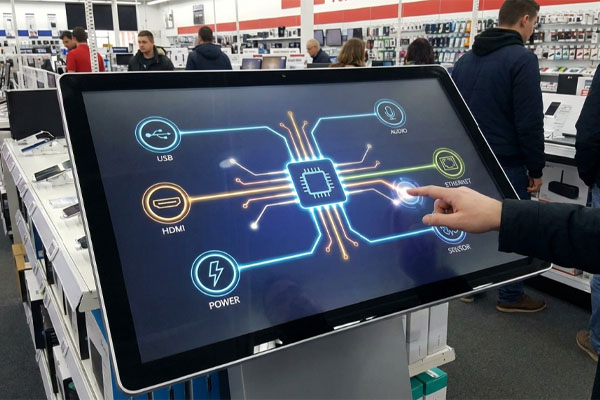
In the retail sector, a Touchscreen with I/O Points improves your Return on Investment (ROI) by enabling interactive displays that can trigger physical events, like lighting up a product shelf. When a customer touches a specific area of the screen, the I/O points can activate LED strips or unlock a sample drawer. This level of engagement drives higher sales and provides a more memorable shopping experience.
The cost savings come from the reduced need for complex external controllers and expensive media players. Because the touchscreen handles both the visual interface and the hardware logic, the installation is much simpler for your store teams to manage. For a business owner, this means lower deployment costs and faster rollouts across multiple locations.
Is it easy for staff to use?
Retail environments often have high staff turnover, so the interface must be intuitive and the hardware must be “plug-and-play.” Integrated units can be pre-configured at the factory with the necessary I/O settings, so your field teams just need to mount it and plug it in. This reduces the need for on-site IT support and minimizes the risk of setup errors.
Here is the deal:
- Unified software for screen and I/O.
- Remote management and monitoring.
- Simple USB or Ethernet connectivity.
- Hardened glass that resists scratches from rings/keys.
Simple tech is reliable tech, and in retail, reliability is the key to preventing lost sales opportunities.
Can it integrate with POS systems?
Modern retail requires a connected ecosystem, and these touchscreens can bridge the gap between digital content and your Point of Sale (POS) hardware. Through the I/O points, the screen can communicate with barcode scanners or cash drawers while simultaneously running high-definition promotional videos. This multi-functionality makes the hardware a versatile asset for any store layout.
But wait, there is more:
- Sleek, thin-bezel designs for modern aesthetics.
- Multi-touch support for interactive catalogs.
- VESA mounting for wall or stand placement.
- Long-term supply availability (5+ years).
Key Takeaway: Integrated I/O screens in retail turn static displays into interactive sales tools while simplifying the underlying technology stack for easier management.
| Retail Metric | Integrated Advantage | Expected Outcome |
|---|---|---|
| Deployment Cost | Single unit setup | 30% Savings |
| Customer Engagement | Physical I/O Triggers | 20% Sales Lift |
| Maintenance | Simplified Troubleshooting | Reduced Downtime |
Investing in the right interface technology directly correlates with the success of your brick-and-mortar strategy.
How to mount a Touchscreen with I/O Points in a factory?
Mounting a Touchscreen with I/O Points in a factory environment requires a focus on vibration isolation and cable management to ensure long-term stability. Most industrial units support standard VESA mounting patterns, but for David’s heavy equipment, a panel-mount or rack-mount configuration is often preferred. Panel mounting provides a flush, professional finish and uses a gasket to create a seal between the screen and the enclosure.
The integrated I/O points are typically located on the bottom or back of the unit. You should ensure there is enough “swing room” for the cables so that they are not under constant tension. Using high-quality cable ties and routing the I/O wires away from high-voltage motor cables will prevent electromagnetic interference from affecting your signals.
Is panel mounting better for dust?
Panel mounting is the gold standard for factory floors because it hides the majority of the device inside a sealed cabinet. Only the IP-rated front glass is exposed to the environment, while the I/O connections remain safe and dry inside the panel. This configuration also makes the interface more resistant to accidental bumps from forklifts or tool carts.
Here is the deal:
- Seamless integration into machine doors.
- Easy to clean with a simple wipe-down.
- Protects the rear ports from physical damage.
- Provides a high-end, custom-built look.
If you want your equipment to look and act like a premium product, panel mounting is the way to go.
How do you handle heavy vibration?
Vibration can shake standard connectors loose over time, leading to intermittent signal failure. For machines with heavy motors or reciprocating parts, you should use mounting brackets with rubber dampeners and locking connectors for all I/O points. This absorbs the mechanical energy before it reaches the sensitive internal components of the touchscreen.
You should follow these steps:
- Use spring-loaded terminal blocks if possible.
- Apply thread-locking fluid to mounting screws.
- Choose a unit with a thick aluminum bezel.
- Secure all cables within 6 inches of the port.
Key Takeaway: Proper mounting using panel-mount gaskets and vibration-resistant hardware is essential to protecting your investment in high-quality interface technology.
| Mounting Type | Best For | Difficulty |
|---|---|---|
| Panel Mount | Flush cabinet integration | Medium |
| VESA Arm | Flexible operator positioning | Easy |
| Open Frame | Custom OEM housing | High |
A well-installed screen is the mark of a well-engineered machine, reflecting the quality David demands.
Which Touchscreen with I/O Points works with legacy PLC?
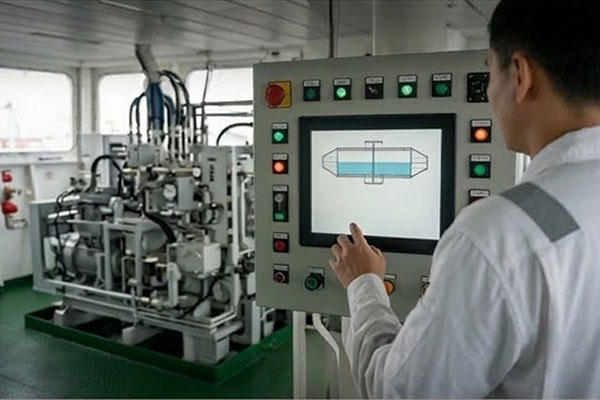
A Touchscreen with I/O Points can often act as a bridge to legacy PLCs by utilizing its integrated RS232 or RS485 ports. Many older factory machines still rely on serial communication protocols that modern consumer computers have long abandoned. By choosing an industrial touchscreen with these ports built-in, you can modernize the user interface without having to replace the entire underlying control system.
This “rip and replace” avoidance is a massive cost saver for any manufacturer. You can add a modern, high-resolution capacitive touch interface to a machine built in the 1990s, giving it a second life and better data visibility. The integrated I/O can even take over some of the tasks that the old PLC is struggling to handle, such as high-speed counting or PWM output.
Does it support Modbus or CANopen?
Most professional integrated screens come with firmware that supports standard industrial protocols like Modbus RTU/TCP or CANopen. This allows the I/O points on the screen to talk directly to other devices on the factory network. You can collect data from old sensors and feed it into a modern SCADA system or a cloud-based dashboard with very little effort.
Here is the deal:
- No need for expensive protocol converters.
- Reduced latency in data transmission.
- Simplified software drivers.
- Better compatibility with global standards.
Keeping your communication protocols standard is the best way to future-proof your factory floor.
Can it replace a small PLC entirely?
In many cases, the logic capabilities of a modern integrated touchscreen are enough to replace a small-scale PLC. If your machine only has a dozen I/O points and simple logic requirements, the touchscreen can handle it all. This further reduces your BOM and simplifies the electrical drawings for your technical team.
But wait, there is more:
- Built-in logic editors (similar to Ladder Logic).
- Direct connection to digital and analog sensors.
- Expandable I/O via modular cards.
- Integrated HMI design software.
Key Takeaway: Integrated screens with legacy port support allow you to modernize old machinery cheaply and effectively while providing a path to modern networking.
| Protocol | Compatibility | Use Case |
|---|---|---|
| RS232/485 | Legacy PLCs | Modernizing old tools |
| Modbus TCP | Modern Networking | SCADA integration |
| Digital I/O | Direct Sensors | Replacing small PLCs |
Modernizing your interface is the most cost-effective way to improve operator efficiency on older equipment.
Why is a Touchscreen with I/O Points vital for smart homes?

For high-end residential projects, a Touchscreen with I/O Points serves as the central brain, allowing for direct wired control of lighting, security, and HVAC systems. Unlike consumer tablets that rely entirely on flaky Wi-Fi, a professional wall-mounted screen with hardwired I/O ensures that your home automation works every time. This reliability is exactly what luxury homeowners and builders expect from their technology partners.
The integrated I/O points can connect directly to wall sensors or electronic door locks, providing a more secure and responsive system than wireless alternatives. For a manufacturer like David, entering the smart building market with a rugged, hardwired solution offers a significant edge over the “DIY” consumer products that often fail to meet professional standards.
Is hardwired better than Wi-Fi?
While Wi-Fi is convenient, it is susceptible to interference and dead zones that can make a smart home frustrating to live in. A hardwired I/O connection to critical systems like smoke detectors or flood sensors provides a level of reliability that wireless simply cannot match. You want your customers to feel safe, and nothing says “safety” like a dedicated copper connection.
Here is the deal:
- Zero interference from other devices.
- No password or SSID changes to manage.
- Instant response times for lighting.
- Works even if the internet goes down.
In the world of high-end automation, “wired” is synonymous with “premium.”
Can it act as a video intercom?
Many integrated touchscreens include built-in microphones, speakers, and cameras, allowing them to function as high-definition video intercoms. By using the I/O points, the screen can also trigger the front gate to open or turn on the porch lights when someone approaches. This all-in-one functionality reduces the number of devices on the wall and simplifies the user’s life.
But wait, there is more:
- Low-profile, flush-mount wall brackets.
- Power over Ethernet (PoE) support.
- Customizable UI for luxury branding.
- Energy-saving “sleep” and “wake” sensors.
Key Takeaway: Professional-grade integrated screens provide the hardwired reliability and multi-functional capability required for high-end smart home and building automation.
| System | Control Method | Reliability |
|---|---|---|
| Lighting | Wired Digital Output | 100% |
| Security | Hardwired Sensors | High |
| HVAC | Analog I/O Points | Excellent |
A robust, hardwired foundation is the only way to ensure a smart home stays smart for the long haul.
Selecting a procurement partner for your interface needs is a strategic decision that affects every stage of your product’s lifecycle. We encourage you to contact us today to discuss how our factory-direct manufacturing can solve your most pressing hardware challenges. Our team is ready to review your technical drawings and provide the stable, high-quality components your projects deserve. By eliminating middlemen and working directly with the manufacturer, you gain control over your supply chain and ensure your customers receive the best possible technology. Let us build the future of industrial interfaces together.
FAQ
Can I use a Touchscreen with I/O Points with my existing software? Yes, these devices are designed with open-platform compatibility in mind. Most units support standard operating systems like Linux or Windows, allowing you to run your proprietary control software without modification. The I/O points are typically accessed via standard drivers or APIs provided by the manufacturer.
What’s the best way to protect the I/O points in high-vibration environments? The most effective method is to use locking M12 connectors and secured cable routing. These mechanical locks prevent the electrical contacts from separating during intense vibration cycles. Additionally, ensuring the screen is mounted with rubber vibration dampeners will absorb much of the physical stress before it reaches the connector.
How do I know if the integrated I/O is enough for my machine? You should perform a detailed “point count” of all your sensors and actuators before purchasing. If your machine requires more points than the screen provides, most high-end units allow for expansion via external modules over Modbus or CANbus. Always leave 20% “spare” I/O capacity for future upgrades or field modifications.
Can I get custom branding on the front of the touchscreen? Absolutely, as a factory-direct manufacturer, we offer full silk-screening and logo services. You can provide your branding guidelines, and we will apply your logo and custom button icons directly to the cover glass. This ensures your equipment maintains a consistent professional appearance across your entire product line.
What’s the best way to handle power surges in an industrial plant? You should select a unit that features internal isolation and a wide DC input range. Industrial-grade integrated screens are built to withstand common factory power issues like voltage sags and spikes. For added protection, we always recommend using a dedicated, filtered power supply for your control electronics.