
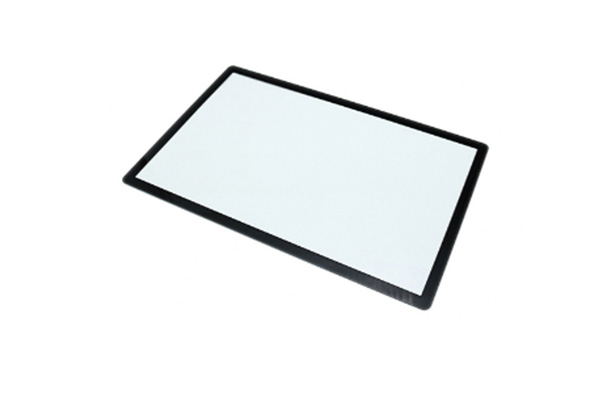
Selecting the right hardware for your facility involves balancing rugged durability with high-precision capacitive performance to ensure seamless field operations. You likely face significant frustration when consumer-grade tablets fail in extreme temperatures or suffer from cracked screens during high-stakes inspections. Integrating a Portable Industrial Touchscreen into your workflow eliminates these vulnerabilities by providing a hardware solution engineered specifically for the rigors of your industry.
What is a Portable Industrial Touchscreen?
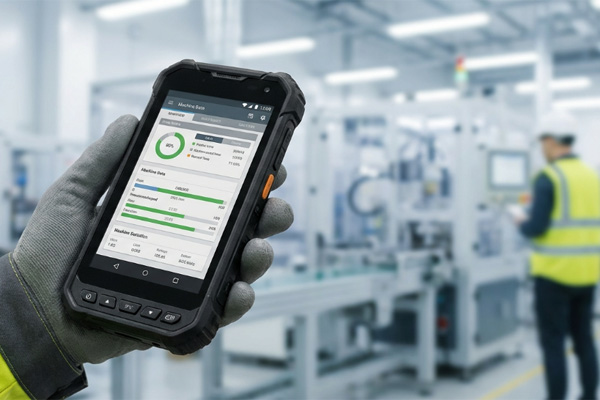
A portable industrial touchscreen is a ruggedized, mobile display interface engineered to operate reliably in environments characterized by dust, moisture, and extreme temperatures. These devices serve as the primary human-machine interface (HMI) for technicians and engineers who need to manage complex data outside of a traditional office or control room setting.
Understanding the Build
Think about this: standard tablets are built for coffee shops, but these units are built for the factory floor. They utilize chemically strengthened glass and reinforced housings to survive accidental drops and constant handling.
- High-impact glass durability.
- Extended operating temperature ranges.
- Specialized communication interfaces like RS232 or I2C.
- Enhanced brightness for outdoor visibility.
Hardware vs. Consumer Tablets
The difference is clear when you look at the connectivity options and longevity. While consumer devices prioritize aesthetics, an industrial unit focuses on integration capabilities that professional workflows demand.
Lifecycle Support
You will find that industrial manufacturers offer consistent components for years, preventing the need for frequent software redesigns. This stability is crucial for long-term project planning and maintenance.
Key Takeaway: Understanding the distinction between consumer and industrial builds ensures you don’t waste budget on hardware that will fail within months of deployment.
| Feature | Industrial Specification | Benefit | |
|---|---|---|---|
| Protection | IP65/IP67 Rated | Dust and water resistance | |
| Temp Range | -20°C to +70°C | Operation in extreme weather | |
| Touch Tech | PCAP Multi-touch | Precise control with gloves |
Why buy a Portable Industrial Touchscreen?
You should invest in a Portable Industrial Touchscreen to reduce equipment downtime and improve the accuracy of data entry in challenging field conditions. These rugged units provide the reliability needed to maintain productivity when traditional input methods like keyboards and mice are impractical.
Maximizing ROI in the Field
Here is the deal: one equipment failure in the field can cost more in lost labor than the price of a rugged unit. By choosing hardware that survives drops and chemical exposure, you maximize your return on investment over a five-year equipment lifecycle.
- Increased worker efficiency.
- Lower total cost of ownership (TCO).
- Improved safety through intuitive interfaces.
- Seamless integration with legacy industrial systems.
Reducing Operational Downtime
Downtime is eliminated when your display continues to function despite heavy vibration or accidental liquid spills. This reliability ensures that your technicians can focus on the task at hand rather than troubleshooting their tools.
Key Takeaway: Prioritizing industrial-grade reliability over initial cost savings results in a significantly lower TCO and higher operational uptime.
| Metric | Impact | Value | |
|---|---|---|---|
| Replacement Rate | < 2% Annually | High reliability | |
| Battery Life | 8-12 Hours | Full shift coverage | |
| Compatibility | Windows/Linux/Android | Flexible software use |
How to pick a Portable Industrial Touchscreen?
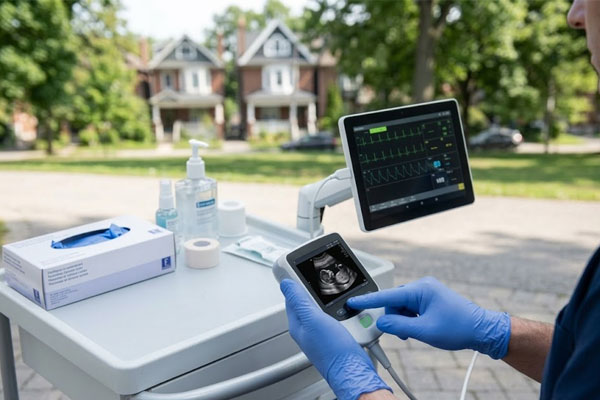
You pick the right Portable Industrial Touchscreen by matching the display’s brightness, touch sensitivity, and connectivity options to your specific operational environment. It is essential to evaluate the chemical resistance of the glass if your technicians work around oils, cleaning agents, or hydraulic fluids.
Evaluating Touch Technology
The choice between capacitive and resistive touch depends entirely on your environment. Projected capacitive (PCAP) is the modern standard for responsiveness, but you might need resistive tech if your environment involves heavy electrical noise or extreme moisture.
- Assess the need for sunlight readability (1000+ nits).
- Determine if multi-touch or single-touch is required for your software.
- Verify the thickness of the cover glass for impact protection.
- Check for VESA or custom mounting compatibility.
Sunlight Readability
If your team works outdoors, a standard screen will wash out. You need high-brightness panels with optical bonding to ensure data remains visible under direct sunlight.
Key Takeaway: Aligning the touch sensor technology and brightness levels with the user’s physical environment prevents input errors and user frustration.
| Tech Type | Best Use Case | Limitation | |
|---|---|---|---|
| PCAP | High precision, Multi-touch | Higher cost | |
| Resistive | High EMI, Heavy moisture | Single touch only |
Where to find a Portable Industrial Touchscreen?
You should source your Portable Industrial Touchscreen from a factory direct partner that offers engineering support and customization rather than a general electronics distributor. Buying direct allows you to request specific modifications, such as custom logo branding or specialized interface cables, that standard retailers cannot provide.
Benefits of Factory-Direct Sourcing
Direct manufacturer relationships ensure better batch consistency and technical troubleshooting. You benefit from faster response times on technical inquiries and more flexible minimum order quantities (MOQs).
- Access to OEM/ODM services.
- Direct communication with design engineers.
- Lower wholesale pricing by skipping middlemen.
- Transparent quality control documentation.
Customization Options
You might need a specific mounting bracket or a unique housing material. A direct manufacturing partner can adapt the hardware to fit your existing machinery without requiring a full system redesign.
Key Takeaway: Sourcing directly from the manufacturer provides a level of technical depth and price efficiency that third-party vendors cannot match.
| Sourcing Type | Lead Time | Technical Support | |
|---|---|---|---|
| Direct Factory | 2-4 Weeks | High (Engineer Level) | |
| Distributor | 1-2 Weeks | Basic (Sales Level) |
Which Portable Industrial Touchscreen size is best?
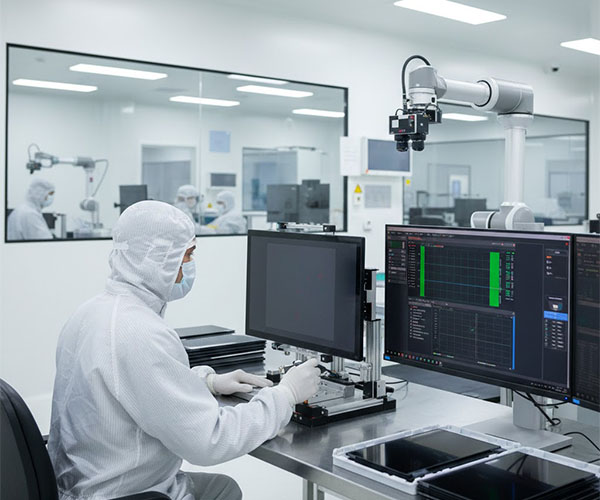
The best size for your Portable Industrial Touchscreen is typically between 7 and 15 inches, as this range balances screen real estate with the necessity of portability. Smaller screens are ideal for handheld diagnostic tools, while larger displays are better suited for mobile workstations where complex schematics must be viewed.
Balancing Weight and Visibility
Look at it this way: a screen that is too large becomes a burden to carry, while one too small leads to user error. A 10.1-inch display often provides the “sweet spot” for Windows-based industrial applications without causing physical fatigue for technicians.
- 7-inch: Best for handheld portability.
- 10.1-inch: The industry standard for balance.
- 12.1-inch: Ideal for detailed data visualization.
- 15-inch+: Best for fixed mobile mounting.
Mobility vs. Fixed Use
Consider if the device will be docked most of the time. If the user is constantly walking the floor, every ounce matters, so prioritizing a lightweight 7 or 10-inch model is often the wisest choice.
Key Takeaway: Standardizing on a 10.1-inch or 12.1-inch form factor ensures compatibility with the widest range of industrial software and mounting hardware.
| Size (Inches) | Primary Application | Portability Rank | |
|---|---|---|---|
| 7.0 | Field Diagnostics | High | |
| 10.1 | General HMI | Medium | |
| 12.1 | Technical Drafting | Low |
Is a Portable Industrial Touchscreen waterproof?
Most industrial units are designed with at least an IP65 rating, meaning your Portable Industrial Touchscreen is protected against dust ingress and low-pressure water jets. For applications in the automotive or marine sectors, you should look for specialized vehicle displays that offer enhanced sealing against moisture and vibration.
Understanding IP Ratings
Believe it or not, an IP65 rating is often the minimum requirement for any outdoor industrial application. You need to verify that the IP rating covers the entire enclosure, not just the front bezel, if the device will be used in an open-air environment.
- IP65: Dust-tight and water-resistant.
- IP67: Submersible in water for short periods.
- Optical bonding to prevent internal fogging.
- Chemically strengthened glass to resist corrosion.
Handling Wet Environments
Advanced controllers allow the touchscreen to distinguish between a finger press and a water droplet. This prevents “ghost touches” during rainy conditions or in wash-down environments where fluids are present.
Key Takeaway: Ensuring the device has at least an IP65 rating and optical bonding is critical for maintaining visibility and functionality in wet conditions.
| Rating | Dust Protection | Water Protection | |
|---|---|---|---|
| IP65 | Total | Low-pressure jets | |
| IP67 | Total | Temporary immersion |
Can a Portable Industrial Touchscreen last long?
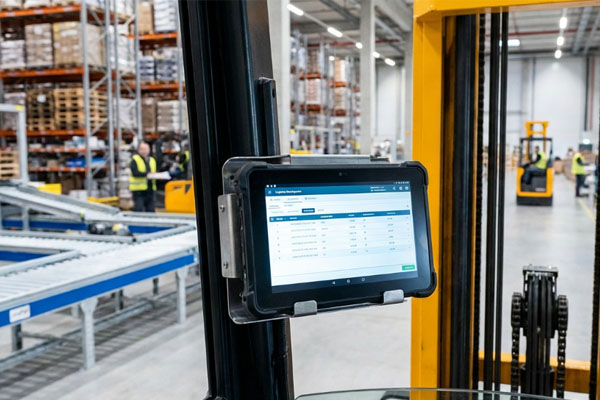
An industrial-grade Portable Industrial Touchscreen is designed for a service life of five to ten years, even under continuous use in harsh conditions. This longevity is achieved through the use of industrial-grade capacitors, backlights with high MTBF (Mean Time Between Failures), and rugged housing materials.
Evaluating Component Longevity
Keep this in mind: durability isn’t just about the glass; it’s about the internal components surviving years of heat and vibration. You should ask your supplier for the MTBF of the LCD panel and the touch controller to ensure they meet your operational goals.
- 50,000+ hour backlight life.
- Vibration resistance for mobile machinery.
- Solid-state components with no moving parts.
- Long-term component availability (BOM control).
BOM Consistency
Industrial manufacturers maintain a consistent Bill of Materials (BOM). This ensures that units purchased years apart remain identical in performance, which is vital for maintaining a standardized fleet.
Key Takeaway: Selecting hardware with a documented long-term lifecycle prevents the costly need for frequent software re-certification and hardware re-testing.
| Component | Expected Life | Industrial Standard | |
|---|---|---|---|
| LCD Backlight | 50,000 Hours | LED High-Efficiency | |
| Touch Panel | 35 Million Touches | Chemically Strengthened |
How much for a Portable Industrial Touchscreen?
Pricing for a Portable Industrial Touchscreen typically ranges from 300 to1,500 per unit, depending on the size, customization, and environmental protection levels required. While the upfront cost is higher than consumer tablets, the significantly lower replacement frequency makes them more economical over time.
Understanding Cost Drivers
The reality is that the price you pay upfront is an insurance policy against field failure. High-brightness panels for sunlight readability and optical bonding are the two features that most significantly influence the final price but are often non-negotiable for outdoor work.
- Bulk discounts for large-scale deployments.
- Customization fees for specialized ports or glass.
- Engineering NRE for new designs.
- Warranty extensions for long-term peace of mind.
Total Cost of Ownership
When you factor in the cost of downtime and replacement, industrial units are much cheaper. Investing in a quality unit today prevents the logistical nightmare of dealing with broken hardware next year.
Key Takeaway: Budgeting for high-brightness and optical bonding is a necessary expense for ensuring the device is actually usable in field conditions.
| Feature Level | Estimated Cost | Best For | |
|---|---|---|---|
| Standard | 300−600 | Indoor Factory | |
| Rugged/Bright | 700−1,500 | Outdoor/Vehicle |
What are the technical specifications to look for?
When evaluating a Portable Industrial Touchscreen, you must prioritize the processor speed, RAM, and internal storage to match your HMI software requirements. Additionally, checking for the specific interface protocols like I2C, USB, or RS232 ensures the screen can communicate with your existing PLC and machinery.
Comparing Technical Data
It is vital to look beyond the surface specs and investigate the environmental certifications. A device that looks rugged but lacks a MIL-STD-810G rating might not survive the intense vibration of a forklift or a CNC machine.
- Minimum 4GB RAM for smooth software operation.
- USB and RS232 ports for legacy device connection.
- Wide input voltage range for mobile battery systems.
- High-resolution IPS panels for better viewing angles.
Software Compatibility
Verify if the device supports the specific operating system you use, whether it is a specialized Linux distro or Windows 10 IoT. Having the right driver support out of the box saves days of engineering time.
Key Takeaway: Verifying that the internal specs and communication ports match your software and hardware integration needs prevents costly deployment delays.
| Spec Type | Minimum Requirement | Professional Standard | |
|---|---|---|---|
| Processor | Quad-Core ARM/Intel | i5/i7 Industrial Grade | |
| Storage | 64GB eMMC | 128GB+ SSD | |
| I/O Ports | USB 2.0/I2C | USB 3.0/RS232/Ethernet |
Who needs a Portable Industrial Touchscreen now?

Field service technicians, warehouse managers, and automation engineers are the primary users who benefit immediately from a Portable Industrial Touchscreen. These professionals require a reliable interface that can survive drops on concrete or exposure to industrial debris while maintaining a connection to the central network.
Identifying Operational Bottlenecks
Think about your team: if they are currently using clipboards or fragile laptops, they are likely losing hours of productivity. Transitioning to a rugged touchscreen allows for real-time data synchronization and improved decision-making on the fly.
- Oil and gas field operators.
- Automotive diagnostic technicians.
- Medical device operators in mobile clinics.
- Logistics personnel in high-volume hubs.
Improving Data Accuracy
Manual data entry on paper leads to errors that can derail production schedules. Providing your team with a rugged touchscreen ensures that every piece of data is captured correctly the first time.
Key Takeaway: Any industry that operates outside of a climate-controlled office environment is a candidate for the efficiency gains provided by ruggedized touchscreens.
| User Group | Main Pain Point | Solution | |
|---|---|---|---|
| Field Techs | Screen Breakage | Ruggedized Glass | |
| Warehouse | Poor Visibility | High-Brightness LCD |
Frequently Asked Questions
Can I use a portable industrial touchscreen with thick work gloves?Yes, modern industrial screens utilize projected capacitive (PCAP) controllers specifically tuned for high-sensitivity or resistive technology that responds to pressure regardless of the glove material.
What’s the best way to clean an industrial touchscreen in a medical setting?It depends on the screen’s surface treatment, but most medical-grade industrial screens are designed to withstand 70% isopropyl alcohol and other harsh disinfectants without degrading the sensor.
Can I customize the port configuration on a portable display?Yes, sourcing directly from a manufacturer allows you to specify custom interfaces such as M12 connectors, specialized USB-C configurations, or legacy RS232 ports for specific machinery.
What’s the best screen size for a technician who is constantly on the move?A 10.1-inch display is widely considered the best choice because it provides enough screen area for complex interfaces while remaining light enough to carry in one hand.
Can I get a screen that is readable in direct sunlight for oil field work?Yes, you should specify a “High Brightness” or “Sunlight Readable” panel with at least 1000 nits of luminance and optical bonding to minimize reflections.
Conclusion
Procuring the right portable display is about more than just hardware specs; it is about ensuring your team has the tools to succeed in environments that destroy standard electronics. By focusing on ruggedized construction, appropriate touch technology, and direct manufacturer partnerships, you solve the chronic problems of equipment failure and operational downtime. Our vision is to provide every industrial professional with a reliable, high-performance interface that stands up to the toughest challenges of the modern job site. To discuss your specific project requirements or to request a custom quote, contact us today and speak with one of our engineering experts.